

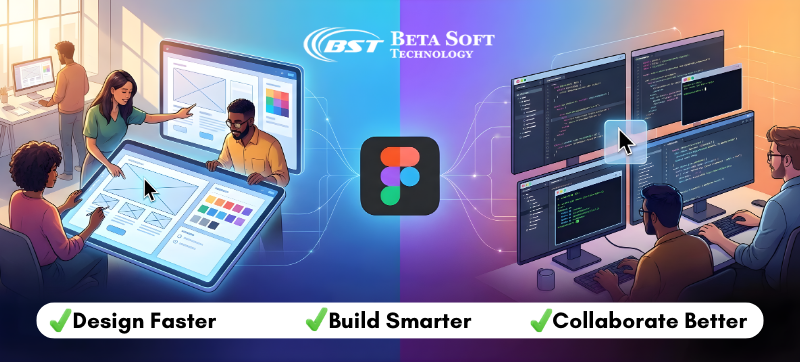
The design and development world has always had this strange tension running through it – two disciplines trying to build the same product but often working in completely different universes. Designers sketch out ideas, developers translate them into code, and somewhere in the middle, miscommunication sneaks in like an uninvited guest. For years, everyone just dealt with it. Screenshots passed around like secret notes, outdated PDFs floating in email threads, endless check-ins just to clarify a button size.
And then Figma stepped in and quietly rewired how teams collaborate. What started as “just another design tool” transformed into something much bigger: a shared creative space where designers and developers finally work with each other instead of around each other. The platform didn’t just streamline workflows – it closed a gap that the industry had accepted as permanent.
Today, Figma sits at the center of countless product teams for a reason. It’s not hype. It’s not a passing trend. It’s simply the first tool that understood that collaboration isn’t an add-on; it’s the heart of great digital work. And any modern team, from agencies to startups, feels the difference the moment they switch.
Why Figma Is the Leading Collaboration Tool for Designers and Developers
Figma isn’t simply a design editor; it’s a communication channel disguised as one. Screens, interactions, notes, prototypes, and system components all coexist in one live environment. Developers don’t wait for exports. Designers don’t juggle version numbers. Product teams don’t wonder which file is “final.”
This unified surface minimizes misinterpretation, a problem that historically consumed a surprising amount of design and engineering time. Once a team adopts Figma collaborative design practices, misalignment drops significantly, and the natural tension between groups becomes easier to navigate.
How Figma’s Collaborative Design Features Improve Team Productivity
The real beauty of Figma collaborative design lies in how it dissolves boundaries between roles. Designers sketch an idea, developers inspect it instantly, copywriters nudge a phrase, stakeholders peek in without needing heavy software.
It’s almost normal now to see three or four cursors dancing inside one artboard like musicians improvising. Someone adjusts spacing. Someone checks the contrast. Someone else tweaks a component variant. No version confusion. No “final-final-v3” file. Just a living, breathing workspace.
This kind of natural collaboration is why so many agencies rely heavily on Figma design services. It isn’t just software—it’s an ecosystem built around fluid iteration and collective problem-solving.
And remote teams? They rely on the Figma design workflow for remote teams simply because it makes distance irrelevant. The platform becomes the shared studio everyone gathers in, even when no one shares the same zip code.
How Figma Improves Developer Handoff, Specs, and Design Accuracy
For years, developers have dealt with ambiguity. “Is that 12px or 14px?” “Is this a hover state or a mistake?” “Which version of the design is the most recent?”
Figma finally gave them clarity and frankly, a kind of respect the industry never fully offered before.
Figma changed that dynamic.
With Dev Mode and precision-ready specs, Figma developers can inspect components, spacing, token usage, and even design system logic without waiting for a designer to export anything. They no longer have to guess. They don’t have to flag discrepancies at the eleventh hour. They don’t have to cross-reference static files that never quite matched the final build.
Any Figma design company with Dev Mode integration now collaborates with engineering teams in a way that feels more honest and mutually beneficial. Developers aren’t just “the final step.” They’re part of the flow from the moment the first component is sketched.
And when both sides actually see and understand each other’s work, the product always reflects that harmony.
How Figma Design Systems Help Teams Scale Faster
There’s something comforting about a well-kept design system. A library that feels predictable, stable, but not rigid.
Figma excels here too.
Whether a team is building a full enterprise design library or a startup is simply trying to keep things visually consistent, Figma design systems make scaling design incredibly efficient. Components update everywhere automatically. Tokens unify spacing, typography, and color usage. Variants make complex interactions feel manageable.
It’s no wonder more companies now look for Figma design system implementation when they want long-term scalability. A clean system makes future redesigns less painful and keeps new features visually aligned. And users notice even if they don’t know they notice.
Figma Prototyping: Turning Static Designs into Interactive Experiences
Figma didn’t invent prototyping, but it refined it into something intuitive.
When teams present interactive flows, skeptical stakeholders suddenly “get it.” Startup founders pitching investors can show experiences instead of describing them. Product managers can test early ideas before committing engineering time.
This realism has led many agencies to offer Figma prototyping and handoff services, simply because clients expect clickable journeys now, not static slides.
For developers, prototypes eliminate confusion before a single line of code exists. And clarity early on always pays dividends.
Figma AI Features and the Future of Collaborative Design
The conversation about Figma AI-powered design is growing louder each month. AI isn’t replacing creativity, not even close. But it’s definitely removing repetitive, irritating tasks that slow teams down.
Resizing components. Cleaning up auto-layout anomalies. Generating early wireframes. Suggesting responsive variations.
By 2025, Figma AI-powered design features are expected to become even more integrated into everyday work. For startups especially, this speed can mean hitting milestones faster, making progress visible sooner, and iterating without burning out the team.
Figma knows that speed matters.
Why Digital Agencies Use Figma for Web and Product Design
Agencies didn’t switch to Figma just because it was trendy. They switched because it made business sense.
Figma creates predictability. Predictability reduces chaos. Less chaos means better profit margins and happier clients.
A Figma web design agency can juggle multiple clients, maintain libraries, coordinate teams, and deliver responsive layouts quickly simply because the platform keeps everything coherent. Auto-layout helps explore breakpoints without rebuilding pages. Shared files keep comments organized. Developers inspect elements without worrying about overwriting anything.
Responsive work, especially, benefits from the ability to see layouts shift naturally across screen sizes. Figma design for responsive websites becomes less of a guessing game and more of a craft.
Figma for Startups: Speed, Clarity, and Rapid Prototyping
A startup’s biggest asset is speed. Direction may change weekly. Requirements shift. Features appear and disappear. The design environment needs to keep up.
Figma works at that speed.
A Figma design company for startups helps early teams align quickly by making work visible from day one. Decisions happen faster. Feedback loops tighten. Prototypes go to users rapidly. Investors understand the product sooner.
Startups crave agility, clarity, and momentum. Figma gives all three without forcing teams into complex learning curves or expensive software ecosystems.
How Figma Solves Designer-Developer Handoff Challenges
For decades, “handoff” was the most dreaded word in the digital workflow. Designers produced immaculate screens. Developers implemented them as best they could. Somewhere in the middle, things broke.
Today, handoff has evolved into something smoother – almost graceful – thanks to Figma.
Developers can examine component properties in real time. They can see padding, states, constraints, variants, and tokens. The screens they inspect are the final screens. There’s no exporting. No guessing. No mystery layers.
This shift has given rise to specialized offerings like Figma prototyping and handoff services, where teams ensure the transition from concept to code feels seamless.
The result? Fewer bugs. Faster builds. Happier teams.
Why Figma Remains the Best Collaboration Tool for Designers and Developers
There are countless design tools, but none have captured the collaborative spirit of digital creation quite like Figma. It isn’t just feature-rich, it’s people-centric. That’s the real difference.
Teams trust it. Agencies build their entire processes around it. Startups depend on it to iterate quickly. Enterprises rely on its design systems to scale efficiently.
A modern Figma design company remains in high demand because the platform has become the universal language of product design.
And developers? They finally have a tool that respects their workflow, rather than treating them as the final checkpoint in a long relay race.
Conclusion:
Calling Figma “the best collaboration tool for designers and developers” might sound like an easy claim, but the evidence is everywhere – in the speed of projects, the clarity of handoffs, the consistency of design systems, the rise of agencies specializing in the platform, and the genuine relief teams feel after escaping the old fragmented workflows.
It isn’t flawless — no tool is. But it works with the messy, shifting rhythm of real teams: fast, distributed, iterative, transparent.
And maybe that’s the real reason Figma stands above the rest. It doesn’t just support collaboration, it reshapes it. Pulls people together. Removes barriers. Makes building digital experiences feel a little more human again.
In 2025 and beyond, whether a team hires Figma developers, partners with a Figma UI/UX design agency, or builds its own internal workflow from scratch, the platform will continue shaping how ideas move from imagination to interface.
And honestly, the industry feels better for it.