


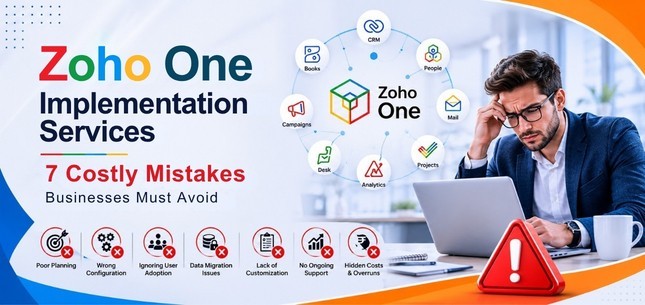
Zoho One can bring sales, marketing, finance, customer support, HR, collaboration and other business functions into one connected ecosystem. But purchasing Zoho One licences is only the beginning.
A successful Zoho One implementation requires business process planning, clean data, thoughtful configuration, integrations, automation, user training and ongoing optimization. When these areas are overlooked, businesses can end up with a technically functional system that employees do not use effectively.
The most common Zoho One implementation mistakes are starting without clear requirements, migrating poor-quality data, ignoring automation, providing insufficient user training, overlooking integrations, relying too heavily on default configurations, and attempting a complex implementation without the required expertise
Understanding these risks before implementation can help your business reduce rework, improve user adoption and build a Zoho environment that supports long-term growth.
What Is Zoho One Implementation?
Zoho One implementation is the process of configuring and connecting the Zoho applications a business needs so that they support its actual workflows, users, data and operational requirements.
Zoho One includes more than 40 tightly connected applications covering areas such as CRM, finance, marketing, HR, customer service, project management, collaboration and analytics. However, implementation is not simply a matter of activating applications.
A structured implementation may involve:
- Business requirement analysis
- Process and workflow mapping
- Zoho application selection
- User roles and permission configuration
- CRM and application customization
- Data cleansing and migration
- Workflow and process automation
- Third-party integrations
- Reports and dashboards
- User training and onboarding
- Testing and quality assurance
- Post-launch support and optimization
The objective is not to use every Zoho application available. It is to build a connected system around the applications and workflows that create measurable value for your business.
7 Zoho One Implementation Mistakes to Avoid
1. Starting Zoho One Implementation Without Mapping Business Requirements
One of the biggest implementation mistakes happens before any technical configuration begins: businesses start setting up applications without first defining what they need the platform to accomplish.
For example, your sales team may need better lead assignment and follow-up tracking. Finance may want sales data to flow into invoicing. Management may require consolidated dashboards, while customer support may need CRM information available inside its ticketing process.
If these requirements are not documented first, configuration decisions can quickly become feature-driven rather than business-driven. You may activate applications that are not required, create unnecessary fields or workflows, and still fail to solve the operational problems that motivated the Zoho One investment.
How to avoid this mistake
- Identify business objectives for each department
- Document existing workflows
- Identify repetitive manual processes
- List reporting requirements
- Define which teams need access to which information
- Prioritize the first processes to implement
- Establish measurable outcomes for the project
Best practice: Start with the business processes that offer the clearest operational value, stabilize them, and expand the Zoho One environment from there.
2. Treating Zoho One Data Migration Like a Simple Import
Moving data into a new system involves much more than exporting a spreadsheet and importing it into Zoho.
Customer information may currently exist across spreadsheets, legacy CRM platforms, accounting systems, email marketing tools and other applications.
Migrating poor-quality information into Zoho One does not eliminate existing data problems—it transfers them into the new environment. Poor data quality can also damage user confidence. If employees repeatedly encounter duplicate contacts, incomplete records or inaccurate reports after launch, they may begin relying on spreadsheets and old systems again.
Common data problems to identify
- Duplicate contacts
- Outdated records
- Missing mandatory fields
- Inconsistent naming conventions
- Incorrect field formats
- Incomplete customer histories
- Unnecessary historical information
How to avoid this mistake
Create a structured Zoho One migration plan before importing production data.
The plan should include:
- Identifying data sources
- Deciding what information should actually be migrated
- Removing duplicates and obsolete records
- Standardizing important field values
- Mapping legacy fields to the correct Zoho fields
- Running a test migration
- Validating record relationships and totals
- Completing final migration only after testing
Data migration should be treated as its own project phase rather than as a final setup task.
3. Underusing Zoho One Automation
Another common mistake is recreating existing manual processes inside a new platform.
Businesses may configure Zoho CRM and other Zoho applications but continue assigning leads manually, sending routine follow-ups individually, requesting approvals through email, or moving information between systems by hand. This limits much of the value a connected business platform can provide.
Depending on the applications and business process, Zoho offers automation capabilities such as workflow rules, approval processes, Blueprint and Zoho Flow.
These capabilities can support processes including:
- Automatic lead assignment
- Follow-up notifications
- Task creation
- Approval routing
- Record updates
- Cross-application data movement
- Sales-stage processes
- Customer communication triggers
- Internal notifications
How to avoid this mistake
During process mapping, identify repetitive activities that follow clear rules. Ask:
Does a team member need to make a judgment here, or is this a repeatable action that the system could handle?
Automate stable, clearly understood processes first. Avoid automating an inefficient or poorly defined workflow simply because the technology allows it. Good automation should reduce repetitive work without making the system unnecessarily complicated.
4. Treating User Training as a One-Time Session
A technically excellent Zoho One configuration can still fail to produce value if employees do not understand how to use it.
One generic company-wide training session is rarely sufficient because different departments interact with the system in different ways. A salesperson may need to understand leads, contacts, deals, activities and pipeline stages. A finance employee may primarily work with invoicing and accounting information. A manager may care more about dashboards, approvals and reports.
Trying to teach all of those workflows in the same session can overwhelm users.
How to avoid this mistake
Create role-based Zoho One training. A practical onboarding plan may include:
- Department-specific training
- Workflow-based demonstrations
- Simple standard operating procedures
- Short reference guides
- Practice environments or sample records
- Internal system champions
- Follow-up sessions after go-live
- A defined process for reporting questions or problems
Training should also explain why processes are changing, not only which buttons employees need to click. When users understand how the system helps them perform their work more efficiently, adoption becomes easier to achieve.
5. Ignoring Existing Third-Party Integrations
Moving to Zoho One does not necessarily mean eliminating every existing business application.
Your organization may continue using payment gateways, e-commerce platforms, communication systems, industry-specific software, external databases or other applications. If integrations are considered only after the main implementation is complete, information can remain fragmented across multiple platforms.
That can recreate the same data silos Zoho One was expected to reduce.
How to avoid this mistake
Create an integration inventory during the discovery stage. For every external system, identify:
- What information needs to move between the systems?
- Which system should be the source of truth?
- Should information move in one direction or both directions?
- How frequently should synchronization happen?
- What happens if synchronization fails?
- Which users should be allowed to access the integrated data?
Depending on requirements, businesses may use native integrations, Zoho Flow, APIs or custom integration development. The important point is to treat integration architecture as part of the original Zoho One implementation strategy, rather than as an afterthought.
6. Expecting the Default Zoho One Configuration to Match Your Business
Zoho applications provide a strong starting framework, but every organization has different processes. Your business may have unique:
- Sales stages
- Approval hierarchies
- Lead qualification rules
- Customer categories
- Permissions
- Reporting structures
- Service workflows
- Custom fields
- Notification requirements
- Departmental responsibilities
Forcing employees to change useful business processes simply because of a default software configuration can create unnecessary workarounds.
How to avoid this mistake
Customize the system where customization produces clear business value. For example, a Zoho CRM implementation may require changes to modules, fields, layouts, pipelines, workflows, Blueprint processes, dashboards, reports, roles and permissions.
At the same time, avoid unnecessary customization. Every custom field, workflow and integration creates something that needs to be understood, tested and maintained. The best Zoho One configuration is not necessarily the one with the most customization—it is the one that supports the business effectively with the least unnecessary complexity.
7. Attempting a Complex Zoho One Implementation Without the Required Expertise
A simple Zoho setup may be manageable internally, particularly when a business has experienced Zoho administrators and limited requirements.
A multi-department Zoho One implementation is different. Once a project includes CRM customization, data migration, multiple applications, user permissions, workflow automation, APIs, third-party integrations and reporting requirements, implementation decisions can affect several areas of the business simultaneously.
Common problems in poorly planned implementations include:
- Inconsistent configuration
- Incorrect permission structures
- Duplicate or incomplete data
- Broken integrations
- Unnecessary automation
- Poor reporting
- Low user adoption
- Excessive rework after launch
When should you consider Zoho One implementation services?
Professional implementation support becomes particularly valuable when:
- Several departments will use Zoho
- You are migrating important historical data
- Multiple Zoho applications need to work together
- External systems must be integrated
- Complex workflows or approvals are required
- You need custom CRM functionality
- Internal teams have limited Zoho implementation experience
A knowledgeable implementation team can help translate business requirements into the right combination of configuration, customization, automation and integration.
Zoho One Implementation Checklist
Before going live, review the following checklist:
| Area | Key Question |
| Business objectives | Have we defined what the implementation should improve? |
| Process mapping | Have the important workflows been documented? |
| Applications | Are we deploying only the applications currently required? |
| Data | Has existing data been cleaned, mapped and tested? |
| Configuration | Do fields, layouts and settings match actual processes? |
| Permissions | Does each role have the appropriate level of access? |
| Automation | Have repetitive processes been automated appropriately? |
| Integrations | Are required third-party systems connected and tested? |
| Reporting | Can managers access the information they need? |
| Testing | Have real-world business scenarios been tested before launch? |
| Training | Has each user group received role-specific training? |
| Support | Is there a process for handling post-launch issues and improvements? |
This checklist does not replace detailed implementation planning, but it provides a useful final review before deployment.
What Does a Successful Zoho One Implementation Look Like?
Successful implementation is not measured by how many Zoho applications have been activated. It is measured by whether the system improves the way the business operates.
Depending on your objectives, the outcomes may include:
- More consistent lead management
- Less repetitive data entry
- Better visibility across departments
- Faster internal approvals
- More reliable reporting
- Better-connected sales and finance processes
- Improved customer information management
- Reduced dependence on disconnected systems
- Higher employee adoption of standardized workflows
The exact results will differ between organizations, which is why implementation should begin with business goals rather than software features.
How Beta Soft Technology Supports Zoho One Implementation
Beta Soft Technology provides Zoho One implementation services for businesses that need help configuring and connecting Zoho applications around their operational requirements.
Our Zoho services can support areas such as:
- Requirement analysis
- Zoho One setup and configuration
- Zoho CRM implementation
- CRM customization
- Data migration
- Workflow automation
- Zoho application integration
- API and third-party integrations
- User training
- Troubleshooting
- Ongoing support and optimization
Rather than activating applications simply because they are available, the implementation should focus on the combination of tools, workflows and integrations your organization actually needs.
Learn more: Zoho One Implementation Services and Zoho CRM Development Services.
If your business is planning a new Zoho One deployment or needs help improving an existing implementation, Beta Soft Technology can assess your current processes and recommend an implementation approach based on your requirements.
Final Thoughts
Zoho One provides businesses with the opportunity to connect multiple operational functions within one ecosystem, but the quality of the implementation determines how effectively that ecosystem works.
Avoid rushing directly into configuration. Start by understanding your processes. Clean your data before migration. Introduce automation where it delivers real value. Plan integrations early. Customize deliberately. Train employees around their actual roles and provide support after launch.
Most importantly, treat Zoho One implementation as a business improvement project—not simply a software installation.
A well-planned implementation gives your organization a stronger foundation for connected data, standardized processes, automation and future growth.
Planning a Zoho One implementation?
Beta Soft Technology can help you evaluate requirements, configure the right Zoho applications, migrate existing data, build workflows and integrations, and support your team through implementation and beyond.
Talk to Beta Soft Technology about your Zoho One requirements
Frequently Asked Questions About Zoho One Implementation
Q. What is Zoho One implementation?
Zoho One implementation is the process of selecting, configuring, customizing and connecting the Zoho applications a business needs. It can also include data migration, workflow automation, integrations, user permissions, training, testing and post-launch support.
Q. How long does Zoho One implementation take?
There is no single implementation timeframe that applies to every business. The schedule depends on factors such as the number of applications, users, departments, custom workflows, data volume, integrations and training requirements. A focused deployment can be completed faster than a complex multi-department implementation.
Q. Can Zoho One be implemented in phases?
Yes. A phased implementation is often easier to manage than deploying many applications simultaneously. Businesses can start with a priority function such as CRM or finance, stabilize the relevant processes, train users and then expand Zoho One to additional departments.
Q. Can existing CRM data be migrated to Zoho?
Yes. Data from spreadsheets and many existing business systems can be migrated, depending on the source system and data structure. Records should be cleaned, mapped, tested and validated before completing the production migration.
Q. Is Zoho One suitable for small businesses?
Zoho One can support small businesses as well as larger organizations, but the appropriate setup depends on actual business requirements. Smaller teams still benefit from proper process mapping, clean data, appropriate permissions and user training.
Q. Do businesses need a Zoho One implementation partner?
Not every implementation requires outside support. A simple setup may be handled internally by a team with sufficient Zoho knowledge. An experienced implementation provider becomes more useful when the project involves multiple applications, departments, complex migrations, automation, customizations or third-party integrations.
Q. What is the difference between Zoho One setup and Zoho One implementation?
Basic setup generally refers to activating applications and configuring fundamental settings. Zoho One implementation is broader and may include requirement analysis, process mapping, migration, customization, automation, integrations, user training, testing and ongoing optimization.
Q. What should businesses do before implementing Zoho One?
Start by defining business goals, documenting important processes, identifying the applications required, reviewing existing data, mapping integrations and deciding which department or workflow should be implemented first.