


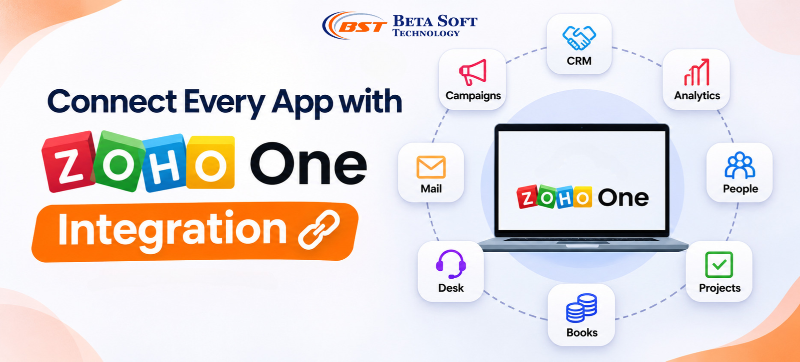
Monday morning. Your sales rep logs a new lead in one tool, and accounts raises an invoice in another. Meanwhile someone in operations is copying order numbers into a spreadsheet, again. Nobody’s doing anything wrong. The tools just don’t know each other exist.
That’s the problem Zoho One Integration Services exists to solve. Zoho One gives you 45+ apps on one login, which sounds like the end of the story. It isn’t. Owning the apps is easy. Making them share data without a human in the middle is the hard bit.
Why Buying Zoho One Is Only the Start
Most people choose Zoho One because the price is hard to argue with. Then the awkward questions begin. What happens to the five years of data sitting in your old accounting software? How do website enquiries reach the CRM? And who’s going to tell the warehouse team their legacy ERP isn’t going anywhere?
Skip the integration work and you’ll rebuild the same silos you were trying to escape, just with a nicer logo on top. Duplicate records pile up, two reports show two different revenue figures, and the team quietly goes back to Excel. It’s a big reason rollouts disappoint, and we’ve listed the usual culprits in our post on costly Zoho One implementation mistakes.
What Zoho One Integration Services Actually Cover
Strip away the jargon and it comes down to getting data to the right place automatically.
Usually that starts with the CRM. Leads from your website, email, WhatsApp and ad campaigns should land in one pipeline without anyone retyping them. If you’re setting this up from scratch, a proper Zoho CRM development foundation saves a lot of cleanup later. From there it spreads outward. Zoho Books and Zoho Inventory get matched so a sale updates stock and the invoice in one go. Third-party tools like Shopify, Tally, Razorpay, Stripe, Slack and Google Workspace get plugged in too.
Then comes the stuff off-the-shelf connectors can’t manage. A custom API bridge to an older ERP, a Deluge script that applies your own pricing rules, or a Zoho Flow automation that creates a project and pings the team the moment a deal closes. And underneath it all sits data migration and cleanup, which is the least glamorous part and the one that decides whether everything else works.
When DIY Stops Working
Plenty of small teams connect two or three apps themselves through the Zoho marketplace, and honestly that’s fine. The trouble starts when you notice someone is still exporting CSVs every Friday, or when sales and finance can’t agree on last month’s number. Another giveaway is a follow-up that only happens when someone remembers. If you’ve also tried a DIY connection and watched it break after an app update, it’s time to bring in a certified partner offering Zoho One services. It usually costs less than the hours you’re losing.
How to Pick the Right Zoho One Integration Services Provider
Lots of agencies mention Zoho on their site. Fewer have actually untangled a messy setup, so here’s what’s worth checking.
Ask to see live work, not just certificates. Someone who has connected Zoho to a creaky legacy ERP will handle your project differently from someone who’s only done demos. Notice, too, whether they ask about your process before naming any tools. A school, a retail chain and a factory all run differently, and a good partner knows that.
Custom skills matter more than people expect. Standard connectors cover most needs, but it’s the leftover chunk, the odd workflow unique to your business, where custom API work earns its fee.
Location counts as well. If you’re in Delhi NCR, a team that already understands GST, Indian payment gateways and your working hours will save you endless back-and-forth. Businesses in the USA, UK or UAE should check that time zones and regional compliance won’t turn into a headache.
And finally, ask what happens after go-live. Apps update, APIs change and your business keeps moving. Here’s what ongoing integration support looks like in practice. It’s written around Salesforce and Shopify, but the thinking applies to Zoho too.
Which Industries Gain the Most
Almost any business benefits, but some feel it faster. Say you run an online store. Orders, stock, shipping and accounts all need to agree, and one broken link means overselling or billing mistakes. A real estate firm has a different pain, which is going cold between the first call and the site visit. Manufacturers usually want production, purchase and finance in one view. Clinics lean on automated reminders and billing. Coaching institutes want enquiries, admissions and fee collection in the same place instead of three WhatsApp groups. And logistics teams just want to stop chasing vendors through spreadsheets.
Different industries, same story: fewer manual handoffs, fewer mistakes.
What a Project Looks Like
Most people expect a months-long ordeal. It rarely is. It begins with a discovery call where someone maps out your tools, your pain points and what you actually want fixed. After that comes a blueprint showing which apps connect, what data moves and when. Everything gets built and tested in a sandbox first, so your live data stays safe. Then your team gets trained in plain language (no one wants a 90-page manual), and the setup goes live with someone watching for hiccups.
A small project can finish in two or three weeks. Bigger, multi-department rollouts take longer, but you’ll usually see results in phases rather than waiting for one big reveal.
Where Beta Soft Technology Fits In
With 18+ years behind us and projects delivered across 30+ countries, Beta Soft Technology has helped businesses in Delhi, across India and overseas get Zoho working with the tools they already use. We start with how your team really works, then build the integration around that. Not the other way round.
A Few Tips Before You Begin
Make a list of every app you use and cross out the ones that don’t need to connect. Clean your data first, because duplicates multiply fast once systems start syncing. Pick one workflow to fix first (lead-to-invoice is a popular choice) and expand from there. Write down what you set up, since the person who built it may not be around in a year. Oh, and give one person on your side ownership of the project. Things stall when everyone assumes someone else is handling it.
Final Thoughts
Zoho One gives you the toolbox. Good Zoho One Integration Services make sure the tools inside actually work together, and work with the software you already own. You end up with cleaner data, sure, but also faster follow-ups, fewer errors, and a team spending its day on real work instead of copy-paste.
If your apps still feel like coworkers who’ve never met, maybe it’s time for introductions. Reach out to Beta Soft Technology and let’s get your Zoho setup working as one system.
FAQs
Q1. What are Zoho One Integration Services?
They’re services that connect Zoho One apps to each other and to outside software using connectors, APIs and automation, so data moves on its own instead of being typed in twice.
Q2. How much do Zoho One Integration Services cost?
There’s no single number, because it swings with the project. Connecting two apps is quick and fairly cheap. Hooking Zoho into a big ERP with custom rules and years of data is a different story. The more apps, scripts and records involved, the higher the quote.
Q3. Can Zoho One work with the ERP or accounting software I already use?
Usually, yes. Zoho talks to other systems through APIs and webhooks. And if your software has no ready-made connector, a custom script can still link the two, so you don’t have to rip out what already works.
Q4. How long does it take?
Small projects often wrap up in two to three weeks. Bigger setups can take a couple of months, usually delivered in stages.