


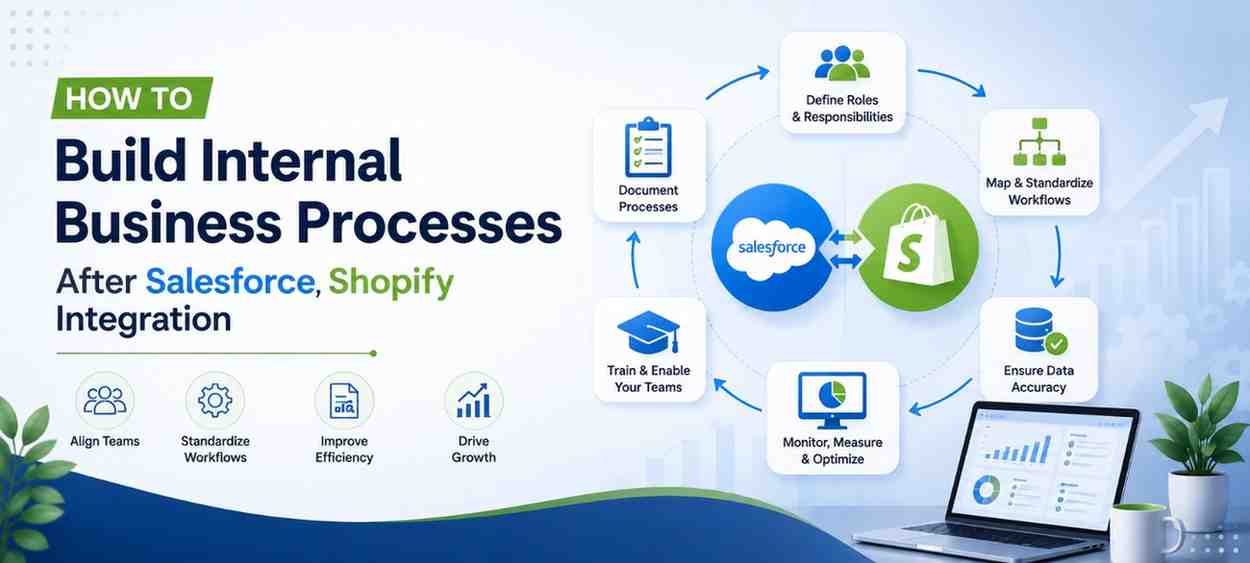
Many businesses consider Salesforce Shopify integration project complete once customer data, orders, and products begin synchronizing successfully between both platforms.
From a technical perspective, the integration may be live. From a business perspective, however, The technical implementation may be complete, but building efficient business operations is only beginning.
After implementation, teams across sales, marketing, customer support, operations and management start relying on Salesforce to make decisions, collaborate more effectively and deliver better customer experiences. Without clearly defined internal processes, employees may use the system differently, important tasks can be overlooked and data quality gradually declines. Over time, these small inconsistencies reduce the value of the integration and make it difficult to maintain accurate reporting and efficient workflows.
A successful Salesforce Shopify integration isn’t measured by how quickly the systems connect, it’s measured by how consistently your teams use them to support everyday business operations.
That’s why leading organizations establish clear ownership, documented workflows, standardized operating procedures and ongoing user training immediately after implementation. These processes help maintain data accuracy, improve collaboration across departments, and ensure the integration continues supporting business growth as operations evolve.
In this guide, we’ll explain how to build effective internal business processes after a Salesforce Shopify integration, the operational areas every organization should define, and the best practices that help teams maximize their Salesforce investment over the long term.
Why Are Internal Business Processes Important After Salesforce Shopify Integration?
Simply connecting Salesforce and Shopify doesn’t guarantee long-term business success. Organizations achieve the best results when they establish clear ownership, standardized workflows, documented operating procedures, regular performance reviews, and continuous user training. These internal processes improve collaboration, maintain data quality, reduce manual work, and help every department use Salesforce consistently as the business grows.
Why Salesforce Shopify Integration Alone Doesn’t Improve Business Operations
One of the biggest misconceptions about Salesforce Shopify integration is that once both platforms are connected, business operations will automatically become more efficient.
In reality, technology only enables better processes, it doesn’t create them.
We’ve seen businesses invest significant time and resources into integrating Salesforce with Shopify, only to discover that many of the same operational challenges still exist. Sales teams continue maintaining their own customer records, marketing works with outdated audience segments, customer support follows different procedures for handling enquiries, and operations rely on spreadsheets to verify order information. Although the integration is functioning as intended, each department continues working independently because there isn’t a consistent way of using the system.
This is where many organizations unintentionally lose the value of their Salesforce investment.
The purpose of integrating Salesforce and Shopify isn’t simply to synchronize data between two platforms. The real objective is to create a connected business environment where every department works from the same information, follows standardized processes, and makes decisions based on accurate, up-to-date data.
Without clearly defined internal processes, even the best integration can produce inconsistent outcomes. Different teams begin interpreting workflows differently, manual work gradually returns, and reporting becomes less reliable over time. As the business grows, these small inconsistencies become operational bottlenecks that affect productivity, customer experience, and decision-making.
That’s why successful businesses treat Salesforce Shopify integration as the beginning of operational improvement rather than the end of a technical project. They focus on how people use the system every day, define clear responsibilities across departments, and establish business processes that everyone follows consistently.
Operational Insight
In our experience, organizations achieve the greatest return on their Salesforce investment when implementation is followed by process standardization. Connecting systems improves data accessibility, but standardized business processes ensure that data is used consistently across sales, marketing, customer support and operations.
Define Clear Ownership for Salesforce Shopify Business Processes
One of the most common reasons businesses struggle after Salesforce Shopify integration isn’t because the systems fail to synchronize. It’s because no one is clearly responsible for the information once it’s reaches Salesforce.
As organizations grow, multiple departments interact with the same customer throughout their journey. Sales manages customer relationships, marketing builds campaigns, customer support handles service requests, operations oversee orders and fulfilment, while leadership depends on reports to make business decisions.
Without clearly defined ownership, the same customer record may be updated by different teams using different standards. Marketing may continue using outdated contact information, sales representatives might create duplicate accounts, and customer support may not have complete visibility into recent purchases or interactions. Over time, these inconsistencies reduce confidence in the CRM and make it difficult for teams to rely on Salesforce as a single source of truth.
Defining ownership doesn’t mean limiting access to Salesforce. It means every department understands its responsibilities, knows which information it owns and follows consistent processes for creating, updating and maintaining data.
For example, sales teams may own customer and opportunity records, while marketing manages audience segmentation and campaign data. Customer support updates service-related interactions, operations monitor order synchronization, and management focuses on reporting and business performance. When each department understands its role, data remains more accurate and teams spend less time resolving internal inconsistencies.
The goal is to ensure everyone works together rather than independently. Instead of asking “Who updated this record?” or “Which report is correct?”, teams can trust the information available in Salesforce and focus on delivering better customer experiences.
Department Ownership Framework
| Department | Primary Responsibility | Business Focus |
| Sales | Customer accounts, opportunities, and sales activities | Maintain accurate customer information and sales pipeline visibility. |
| Marketing | Customer segmentation, campaign audiences, and lead nurturing | Use reliable CRM data to deliver targeted marketing campaigns. |
| Customer Support | Service cases, customer interactions, and issue resolution | Maintain complete customer history to improve support experiences. |
| Operations | Order synchronization, fulfilment monitoring, and inventory visibility | Ensure operational data remains accurate across Salesforce and Shopify. |
| Management | Dashboards, reporting, and performance monitoring | Use trusted business data to support strategic decision-making. |
Operational Insight
In successful Salesforce implementations, data ownership is never assumed, it is clearly defined. Businesses that assign responsibility for customer data, reporting and operational workflows from the beginning typically experience stronger CRM adoption, fewer duplicate records and more reliable reporting across departments.
Standardize Business Workflows After Salesforce Shopify Integration
Once responsibilities have been clearly assigned, the next priority is ensuring every department follows consistent business workflows.
Many businesses assume that once employees have access to Salesforce, they’ll naturally use it in the same way. In reality, every team develops its own habits over time. Sales representatives record customer information differently, marketing teams apply inconsistent lead qualification criteria, customer support follows separate case management processes, and operations often introduce manual workarounds whenever they encounter exceptions.
While these differences may appear minor initially, they gradually create inconsistent data, unreliable reporting, and disconnected customer experiences.
Standardized workflows solve this problem by defining how work should move through the business, regardless of who performs it.
For example, when a new customer places an order through Shopify, every department should understand what happens next. Customer information should automatically sync to Salesforce, sales teams should have visibility into purchasing activity, marketing should know when customers become eligible for future campaigns and customer support should immediately access complete order history whenever assistance is required.
When these workflows are clearly documented and consistently followed, departments stop working in isolation. Instead, information flows naturally between teams, allowing everyone to make decisions based on the same customer data.
More importantly, standardized workflows reduce dependency on individual employees. Business operations continue consistently even when team members change roles, new employees join the organization or departments expand as the business grows.
Example: A Standard Customer Journey Workflow
Rather than allowing each department to create its own process, successful businesses establish a shared workflow that every team understands.
| Business Stage | Primary Team | Expected Workflow |
| Customer places an order | Shopify | Customer and order data automatically sync to Salesforce. |
| Order confirmation | Operations | Verify successful synchronization and order status. |
| Customer relationship management | Sales | Review customer history, identify opportunities, and maintain account records. |
| Customer engagement | Marketing | Segment customers based on purchase behaviour and campaign criteria. |
| Post-purchase support | Customer Support | Access complete customer and order history to resolve enquiries efficiently. |
| Business reporting | Management | Monitor dashboards, KPIs, and operational performance using consistent business data. |
This type of workflow creates consistency across departments and ensures every team understands where their responsibility begins and ends.
Operational Insight
One of the biggest differences between a growing business and a scalable business is process consistency. Organizations that document and standardize business workflows experience smoother collaboration, faster employee onboarding, and greater confidence in their Salesforce data because everyone follows the same operational process rather than relying on individual working styles.
Document Standard Operating Procedures (SOPs) for Salesforce Workflows
Even the most well-designed business workflows can become inconsistent if they’re not properly documented.
As businesses grow, new employees join the organization, departments expand, responsibilities change, and business processes continue evolving. Without clear documentation, every team member begins interpreting workflows differently. What starts as a small variation in how customer information is updated or orders are processed can gradually affect reporting accuracy, customer service, and overall operational efficiency.
This is why successful organizations create Standard Operating Procedures (SOPs) after implementing Salesforce Shopify integration.
An SOP doesn’t need to be a lengthy document. Its purpose is to provide clear guidance so every employee understands how a process should be completed, regardless of who performs the task. Whether it’s creating a new customer record, managing order exceptions, updating account information, or handling returns, every recurring activity should follow a consistent process.
For example, consider a customer who requests a change to their billing information after placing an order. Without a documented procedure, one employee may update Salesforce while another updates Shopify, leaving both systems out of sync. A simple SOP defines which platform should be updated first, how the information synchronizes, who verifies the changes, and what actions are required if synchronization fails.
This level of consistency reduces operational confusion, improves data accuracy, and minimizes unnecessary manual corrections. It also makes onboarding significantly easier because new employees learn established business processes instead of relying on verbal instructions or individual working habits.
Business Processes That Should Be Documented
While every organization has unique requirements, certain operational activities should always have clearly documented procedures.
| Business Process | Why Documentation Matters |
| Customer record management | Maintains consistent customer information across Salesforce and Shopify. |
| Order exception handling | Ensures cancelled, returned, or modified orders follow the same process every time. |
| Lead qualification | Helps sales and marketing teams use consistent qualification criteria. |
| Customer support workflows | Improves service consistency and reduces response times. |
| Data correction procedures | Prevents duplicate records and maintains CRM accuracy. |
| Integration issue reporting | Establishes a clear process for identifying and resolving synchronization problems. |
Well-documented procedures don’t slow businesses down, they create operational consistency. Instead of relying on individual knowledge, organizations establish repeatable processes that support collaboration across every department.
Consultant’s Tip
Don’t wait until user adoption becomes a problem before documenting your business processes. Defining ownership, workflows, and data governance immediately after implementation is significantly easier than correcting inconsistent practices once different teams have developed their own ways of working.
Operational Insight
One of the most valuable outcomes of documenting business processes is consistency. Businesses often assume experienced employees don’t need documentation, but the opposite is usually true. Clear SOPs reduce dependency on individual knowledge, improve collaboration between departments, and make it easier to maintain operational standards as the business grows.
Establish Data Governance to Maintain Long-Term Data Quality
Salesforce is only as valuable as the quality of the data it contains.
After a Salesforce Shopify integration goes live, customer records, order details, and business information continue flowing between both platforms every day. As transaction volumes increase and more employees interact with the CRM, maintaining accurate data becomes an ongoing operational responsibility rather than a one-time implementation task.
Without a clear data governance strategy, businesses often experience challenges that gradually affect day-to-day operations. Duplicate customer records begin appearing, outdated contact information remains in the system, reporting becomes inconsistent, and different departments lose confidence in the accuracy of business data. Although these issues may seem small individually, they can significantly impact sales performance, marketing effectiveness, customer service, and management reporting over time.
Data governance helps prevent these problems by establishing clear standards for how business information is created, maintained, and reviewed across the organization.
For example, businesses should define who can create new customer accounts, how duplicate records are identified, which fields are mandatory, how frequently customer information should be reviewed, and what process teams should follow when correcting inaccurate data. These simple governance practices ensure Salesforce remains a trusted source of information instead of becoming another system that requires frequent manual corrections.
Rather than treating data quality as an IT responsibility, successful organizations make it part of their everyday business operations. Sales teams verify customer information during conversations, marketing regularly reviews audience data, customer support updates interaction history, and operations ensure order information remains synchronized between Salesforce and Shopify.
When every department shares responsibility for maintaining accurate data, reporting becomes more reliable, collaboration improves, and decision-makers gain greater confidence in the insights generated from Salesforce.
Essential Data Governance Practices
| Governance Area | Business Objective |
| Customer data standards | Maintain consistent customer information across Salesforce and Shopify. |
| Duplicate record management | Prevent multiple versions of the same customer or business account. |
| Mandatory field validation | Improve reporting accuracy and reduce incomplete records. |
| Regular data quality reviews | Identify outdated or inaccurate information before it affects operations. |
| User permissions and access | Ensure employees only update information relevant to their responsibilities. |
| Data ownership reviews | Confirm every critical business record has a responsible owner. |
Strong data governance isn’t about restricting employees, it’s about creating confidence in the information everyone relies on. When teams trust the data inside Salesforce, they spend less time verifying information and more time making informed business decisions.
Operational Insight
We’ve found that businesses rarely lose confidence in Salesforce because of the platform itself. More often, confidence declines when data quality isn’t consistently maintained after implementation. Establishing simple governance practices early helps organizations preserve accurate customer information, improve reporting reliability, and support better decision-making as the business grows.
Improve Salesforce User Adoption Through Training and Continuous Learning
A well-planned Salesforce Shopify integration can deliver significant business value, but only if employees use the system consistently.
Many organizations invest considerable time in implementation, testing, and deployment, yet provide very little guidance once the project goes live. Employees receive access to Salesforce, attend a brief handover session, and are expected to understand new workflows while continuing with their daily responsibilities. As a result, teams often revert to familiar habits, maintain personal spreadsheets, or bypass established processes simply because they’re unsure how the system should be used.
Over time, these small behaviours reduce the effectiveness of the integration. Customer records become incomplete, reporting loses accuracy, and different departments begin working with inconsistent information. Eventually, businesses start questioning the value of their Salesforce investment, even though the underlying issue is user adoption rather than the technology itself.
Successful organizations recognize that implementation is only the first step. Building confidence among users is equally important. Employees need to understand not only how to use Salesforce, but also why following standardized processes benefits the entire organization.
Instead of providing generic system training, many businesses adopt role-based learning. Sales teams focus on customer relationship management and opportunity tracking, marketing teams learn audience segmentation and campaign management, customer support understands case management and customer history, while leadership concentrates on dashboards, reporting, and business insights. When training reflects day-to-day responsibilities, employees adopt new processes more quickly and use Salesforce with greater confidence.
Continuous learning also plays an important role. As business processes evolve, new features are introduced, or additional team members join the organization, periodic refresher sessions help maintain consistency across departments. This ensures Salesforce continues supporting business growth rather than becoming another system that employees use differently over time.
Practical Ways to Improve Salesforce Adoption
| Focus Area | Business Benefit |
| Role-based user training | Employees learn the features and workflows relevant to their responsibilities. |
| New employee onboarding | Ensures every team member follows the same operational standards from day one. |
| Process documentation | Gives employees a consistent reference for completing routine business activities. |
| Regular refresher sessions | Reinforces best practices as business processes evolve. |
| User feedback and process reviews | Identifies operational challenges and opportunities for continuous improvement. |
Organizations that invest in user adoption typically experience higher data accuracy, better collaboration between departments, and greater confidence in Salesforce as their central business platform.
Operational Insight
We’ve found that successful Salesforce projects aren’t defined by how many features are implemented—they’re defined by how confidently people use those features in their everyday work. Businesses that prioritize user adoption alongside technical implementation are often the ones that achieve the strongest long-term return on their Salesforce investment.
If your teams are struggling to adopt new workflows or use Salesforce consistently after implementation, structured onboarding and role-based Salesforce training can make a significant difference. At Beta Soft Technology, we help businesses not only implement Salesforce solutions but also train users, document operational processes, and improve CRM adoption so teams can work more efficiently with confidence.
Review and Continuously Improve Your Salesforce Business Processes
Building effective internal business processes isn’t a one-time exercise. As your business grows, customer expectations change, new products are introduced, teams expand, and operational priorities evolve. The processes that worked during the initial implementation may no longer be the most efficient six or twelve months later.
That’s why successful businesses regularly review how Salesforce and Shopify support their day-to-day operations.
Instead of waiting for operational issues to surface, they proactively evaluate whether workflows are still aligned with current business goals. They review how different departments are using Salesforce, identify repetitive manual tasks, measure user adoption, and look for opportunities to simplify or automate existing processes.
These reviews don’t need to be overly complex. In many cases, a quarterly operational review involving key stakeholders from sales, marketing, customer support, operations, and management is enough to identify areas for improvement. Bringing different departments together also helps uncover challenges that may not be visible when teams work independently.
For example, marketing may discover that customer segments are no longer aligned with purchasing behaviour, customer support may identify recurring service issues that aren’t being captured consistently, or operations may notice order exceptions requiring unnecessary manual intervention. Addressing these observations early helps businesses refine their processes before they become larger operational challenges.
Continuous improvement also encourages teams to view Salesforce as a platform that evolves alongside the business rather than a system that remains unchanged after implementation. As business requirements change, workflows, dashboards, automation, and reporting should be reviewed to ensure they continue supporting operational objectives.
Across healthcare, education, ecommerce, cosmetics, home décor, and B2B implementation projects, we’ve consistently observed that organizations with clearly documented business processes achieve stronger Salesforce adoption and more reliable operational reporting than those relying on informal workflows.
Regular reviews help businesses identify opportunities for improvement before operational inefficiencies begin affecting customer experience, reporting accuracy, or team productivity.
Questions to Review During Quarterly Process Evaluations
Rather than focusing only on system performance, businesses should also evaluate how effectively their internal processes are supporting everyday operations.
| Review Area | Questions to Ask |
| Process consistency | Are all departments following the same documented workflows? |
| Data quality | Are customer and order records accurate, complete, and reliable? |
| User adoption | Are employees consistently using Salesforce as intended? |
| Operational efficiency | Which manual activities could be simplified or automated? |
| Reporting accuracy | Do business reports reflect current operational performance? |
| Business growth | Do existing workflows still support current business objectives? |
Regular reviews help organizations identify opportunities for improvement before operational inefficiencies begin affecting customer experience, reporting accuracy, or team productivity.
Operational Insight
One of the biggest advantages of Salesforce is its flexibility. As businesses evolve, internal processes should evolve with them. Organizations that regularly review and refine their operational workflows are often better positioned to respond to changing customer expectations, scale efficiently and continue maximizing the value of their Salesforce investment.
Key Takeaways
- Salesforce Shopify integration is only the beginning; long-term success depends on well-defined internal business processes.
- Assign clear ownership so every department understands its responsibilities within Salesforce.
- Standardize business workflows to improve collaboration and reduce operational inconsistencies.
- Document Standard Operating Procedures (SOPs) to ensure processes remain consistent as your business grows.
- Establish data governance practices to maintain accurate customer and operational information.
- Invest in role-based Salesforce training to improve user adoption and encourage consistent system usage.
- Review and refine business processes regularly to ensure Salesforce continues supporting changing business needs.
Conclusion: Strong Business Processes Drive Long-Term Salesforce Success
A successful Salesforce Shopify integration isn’t defined by the day the systems go live—it’s defined by how effectively your business operates months and years later.
While Salesforce and Shopify provide the technology to connect customer, sales, and operational data, it’s your internal business processes that determine whether that information creates real business value. Clear ownership, standardized workflows, documented operating procedures, reliable data governance, and continuous user adoption help every department work more efficiently while maintaining confidence in the information they rely on every day.
As your business continues to grow, these processes become even more important. New employees join the organization, customer expectations evolve and operational requirements change. Businesses that regularly review and refine their internal processes are better equipped to adapt without compromising data quality, collaboration, or customer experience.
Rather than viewing Salesforce Shopify integration as a completed project, think of it as the foundation for building a more connected, scalable, and process-driven business. The technology provides the platform, but well-defined business processes ensure your teams continue delivering value long after implementation.
Whether you’re planning a new Salesforce Shopify integration or looking to improve an existing one, investing in internal business processes is one of the most effective ways to maximize your CRM investment and support sustainable business growth.
Need Help Optimizing Your Salesforce Shopify Business Processes?
Connecting Salesforce and Shopify is an important milestone, but long-term success depends on how effectively your teams use that integration every day. Clear ownership, standardized workflows, reliable data governance, and continuous user adoption help transform Salesforce from a CRM platform into a system that supports smarter decisions, stronger customer relationships, and sustainable business growth.
Whether you’re planning a new Salesforce Shopify integration, optimizing an existing implementation, or looking to improve internal business processes, Beta Soft Technology can help. Our Salesforce consultants work closely with businesses to design scalable CRM solutions, streamline operational workflows, improve user adoption and provide ongoing support that evolves alongside your business.
Let’s build a Salesforce environment that supports your business today and continues delivering value as your organization grows.
Frequently Asked Questions
Q. How do internal business processes improve Salesforce Shopify integration?
Salesforce Shopify integration connects your business systems, but internal business processes determine how effectively your teams use those systems. Clearly defined ownership, standardized workflows, documented procedures, and consistent user adoption help improve collaboration, maintain data quality, and ensure every department works from the same source of truth.
Q. Who should own Salesforce after Shopify integration?
Salesforce ownership is typically shared across multiple departments rather than being managed by a single team. Sales usually maintains customer and opportunity data, marketing manages customer segmentation, customer support handles service interactions, operations oversee order-related processes, and leadership uses Salesforce for reporting and business insights. Defining these responsibilities helps maintain data accuracy and accountability across the organization.
Q. Why do businesses still experience operational issues after integration?
Many businesses assume integration alone will improve operations. However, without standardized workflows and clearly defined responsibilities, teams often continue following different processes. This can result in inconsistent customer data, duplicate records, manual work, and reporting discrepancies, even when Salesforce and Shopify are synchronizing successfully.
Q. How often should internal business processes be reviewed?
Most organizations benefit from reviewing their business processes at least once every quarter. Regular reviews help identify outdated workflows, data quality issues, user adoption challenges, and new automation opportunities as the business grows and operational requirements evolve.
Q. What should businesses do immediately after Salesforce Shopify integration goes live?
Not necessarily. The most effective approach is role-based training, where employees learn the Salesforce features and workflows relevant to their responsibilities. Sales, marketing, customer support, operations, and management each interact with Salesforce differently, so training should reflect those day-to-day business requirements.
Q. What are the biggest signs that internal business processes need improvement?
Some common indicators include duplicate customer records, inconsistent reporting, increasing manual work, departments using different workflows, low Salesforce adoption, and employees relying on spreadsheets instead of the CRM. These issues often suggest that operational processes need to be reviewed and standardized.
Q. Can small and mid-sized businesses benefit from documented business processes?
Yes. Establishing clear business processes early helps growing businesses maintain consistency as teams expand. It also simplifies employee onboarding, improves collaboration, and reduces operational inefficiencies before they become larger challenges.
Q. How Long Does It Take to Establish Internal Business Processes After Salesforce Implementation?
Establishing internal business processes is an ongoing effort rather than a one-time task. While core workflows, ownership and Standard Operating Procedures (SOPs) can usually be defined within the first few weeks after implementation, refining them takes time as teams adopt Salesforce and business requirements evolve. Organizations that regularly review and improve their processes typically achieve stronger user adoption, better data quality, and greater long-term value from their Salesforce investment.
Q. How can Beta Soft Technology help improve Salesforce adoption after implementation?
Implementing Salesforce is only one part of building a successful CRM strategy. At Beta Soft Technology, we help businesses optimize Salesforce through process consulting, workflow standardization, role-based Salesforce training, CRM optimization, and ongoing support. Our goal is to ensure your teams not only use Salesforce effectively but also build operational processes that support long-term business growth.