


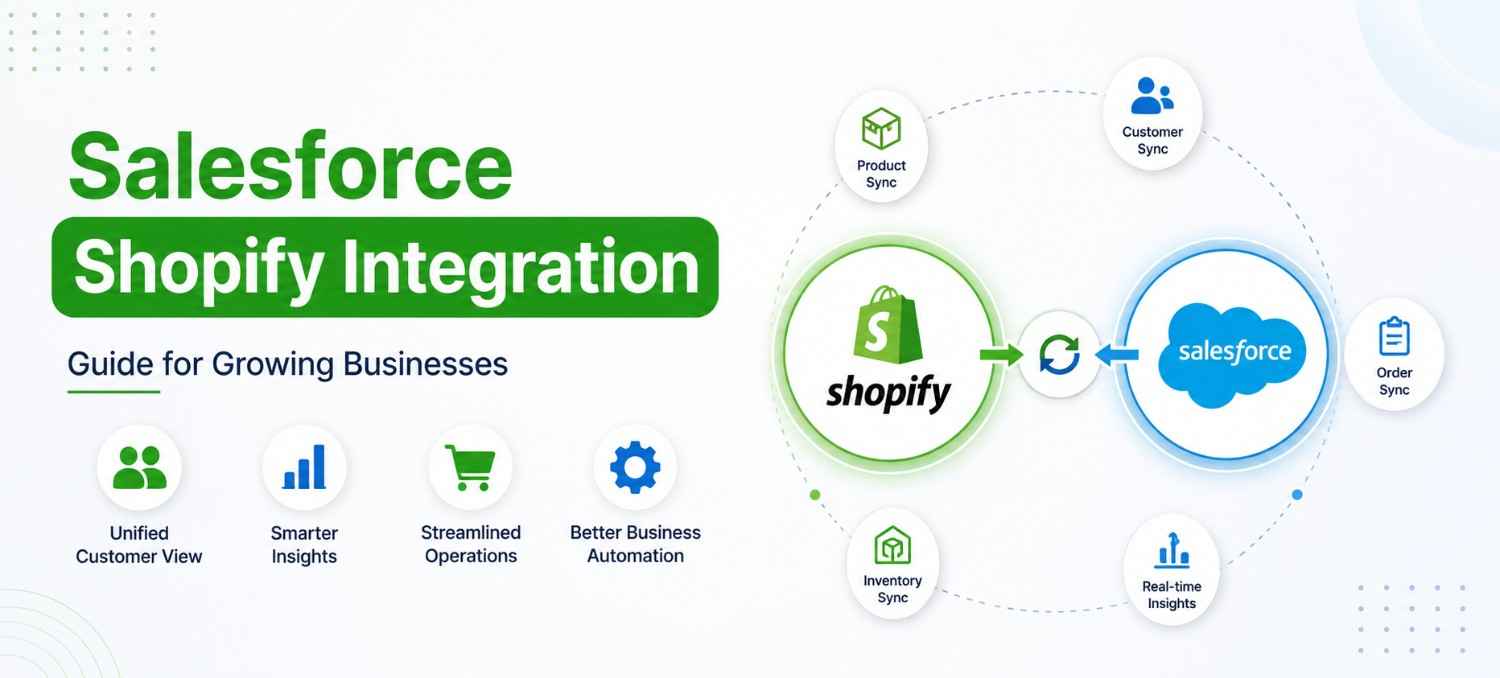
Running a successful Shopify store is no longer just about attracting visitors and processing orders. As your business grows, managing customer relationships, sales opportunities, inventory, support requests and marketing campaigns across multiple systems becomes increasingly complex.
Many growing businesses start with Shopify because it offers a fast and scalable eCommerce platform. However, as order volumes increase and customer interactions become more sophisticated, relying solely on Shopify often creates operational challenges. Customer information becomes scattered, sales teams lack complete visibility into buyer behavior, marketing campaigns become less personalized and support teams spend valuable time switching between different applications.
This is where Salesforce Shopify Integration becomes a strategic business investment rather than just another technical project.
By connecting Shopify with Salesforce CRM, businesses can create a unified customer ecosystem where sales, marketing, customer service and operations work from the same real-time customer data. Instead of manually updating records or exporting spreadsheets, teams gain instant access to customer profiles, purchase history, order status and engagement data from a single platform.
Whether you’re a growing D2C brand, B2B eCommerce business or an enterprise managing multiple Shopify stores, the right integration can improve operational efficiency, customer experience and revenue growth.
In this guide, we’ll explain how Salesforce Shopify Integration works, why businesses invest in it, its key benefits, common implementation challenges, best practices and how to choose the right integration approach for long-term business success.
Quick Answer: Salesforce Shopify Integration connects your Shopify store with Salesforce CRM, enabling real-time synchronization of customer, order, product, and sales data. It helps businesses automate workflows, improve customer visibility, and eliminate manual data entry.
What Is Salesforce Shopify Integration?
Salesforce Shopify Integration is the process of connecting your Shopify store with Salesforce CRM so that customer, order, product and business data can move seamlessly between both platforms.
Instead of treating Shopify as your online storefront and Salesforce as a separate customer database, integration allows them to work together as one connected business ecosystem.
For example, when a customer places an order on your Shopify store, the integration can automatically:
- Create or update the customer record in Salesforce.
- Synchronize order details and purchase history.
- Update customer lifetime value (CLV).
- Notify the sales team about high-value customers.
- Trigger personalized marketing journeys.
- Help customer support teams view recent purchases without switching systems.
Rather than relying on manual exports, spreadsheets or disconnected software, every department works with consistent, real-time information.
What Data Can Be Synchronized?
Depending on your business requirements, Salesforce Shopify Integration can synchronize:
| Shopify Data | Salesforce CRM Data |
| Customer Profiles | Contacts & Accounts |
| Orders | Opportunities & Orders |
| Products | Product Catalog |
| Inventory | Product Availability |
| Discounts | Promotions & Campaigns |
| Shopping Cart Activity | Lead & Customer Insights |
| Payment Status | Sales Records |
| Shipping Information | Customer Service Cases |
The exact data flow depends on your business processes, integration architecture and operational goals. Some organizations only synchronize customer and order information, while others create a fully automated workflow connecting sales, marketing, customer service, finance and inventory management.
Why Integration Matters Beyond Technology
Salesforce Shopify Integration connects Shopify and Salesforce to automatically synchronize customer, order, product, and sales data.
For example:
- A sales representative can instantly identify repeat buyers and recommend relevant products.
- Marketing teams can build highly targeted campaigns based on actual purchase behavior.
- Customer service agents can resolve issues faster because they have complete order visibility.
- Business leaders gain accurate dashboards that combine eCommerce performance with CRM insights.
Instead of different departments maintaining separate versions of customer information, integration creates a single source of truth that supports better collaboration and faster decision-making.
This connected approach becomes increasingly important as businesses expand into new markets, launch additional Shopify stores or introduce omnichannel sales strategies.
As businesses grow, managing customer and order data across disconnected systems becomes challenging. Integrating Shopify with Salesforce creates a single source of truth that improves collaboration, automation, and customer experience.
Why Salesforce Shopify Integration Matters for Growing Businesses
As businesses grow, the biggest operational challenge is rarely generating more sales, it’s managing increasing complexity.
Customer interactions no longer happen through a single touchpoint. Buyers discover products through digital advertising, browse your Shopify store, engage with marketing emails, contact support through live chat and often return to make repeat purchases. If these interactions are stored in separate systems, it becomes difficult to understand the complete customer journey.
This is why many growing businesses choose Salesforce Shopify Integration as part of their digital transformation strategy.
1. Create a Unified Customer View
Without integration, customer information often exists in multiple places:
- Shopify stores purchase history.
- Salesforce manages sales activities.
- Marketing platforms track campaigns.
- Customer support systems store service requests.
This fragmented data makes it difficult for teams to deliver consistent customer experiences.
Integration consolidates these interactions into a unified customer profile, enabling every department to access the same information when engaging with customers.
2. Improve Sales Team Productivity
Sales teams perform better when they understand customer behavior.
With integrated Shopify and Salesforce data, representatives can identify:
- High-value customers
- Repeat purchase patterns
- Recently abandoned carts
- Product interests
- Buying frequency
- Cross-selling opportunities
Rather than making assumptions, they can have more informed conversations based on real customer activity.
3. Deliver Better Customer Experiences
Today’s customers expect businesses to remember their preferences, purchase history and previous interactions.
Imagine a customer contacts your support team regarding a delayed shipment. Instead of asking multiple questions or checking different systems, the support representative can immediately view:
- Order details
- Shipping status
- Previous purchases
- Loyalty information
- Past service interactions
This leads to faster issue resolution and a more personalized experience.
4. Support Business Growth Without Increasing Manual Work
Many businesses reach a stage where operational processes become difficult to scale.
Employees spend hours:
- Exporting Shopify reports.
- Updating CRM records manually.
- Importing customer spreadsheets.
- Correcting duplicate information.
- Reconciling sales reports.
These repetitive tasks not only consume valuable time but also increase the risk of errors.
Salesforce Shopify Integration automates much of this work, allowing teams to focus on strategic activities such as customer engagement, revenue growth and business expansion.
Key Takeaway
For growing businesses, Salesforce Shopify Integration is not just about connecting two platforms, it is about creating a connected, data-driven business where sales, marketing, customer service and operations work together with accurate, real-time customer information.
As your organization scales, this foundation helps improve decision-making, streamline workflows and deliver consistent customer experiences across every stage of the buyer journey.
Top Benefits of Salesforce Shopify Integration
For many businesses, the biggest value of Salesforce Shopify Integration isn’t simply connecting two platforms, it’s creating a connected ecosystem where every customer interaction contributes to better decision-making, stronger relationships and sustainable business growth.
When implemented correctly, integration eliminates data silos, automates repetitive processes and gives every department access to reliable customer information.
Let’s explore the most valuable business benefits.
1. Build a Complete 360° Customer View
One of the biggest challenges growing businesses face is fragmented customer data.
Customer information often exists across multiple systems:
- Shopify stores order history.
- Salesforce manages customer relationships.
- Email marketing platforms track engagement.
- Customer support software records service requests.
- Sales teams maintain personal notes.
As a result, no department has a complete picture of the customer.
With Salesforce Shopify Integration, these touchpoints can be connected to create a unified customer profile.
Instead of viewing isolated transactions, your teams can access:
- Purchase history
- Customer lifetime value (CLV)
- Products viewed and purchased
- Customer inquiries
- Marketing interactions
- Sales activities
- Support cases
This single customer view enables every team to deliver more personalized and consistent experiences.
2. Automate Customer and Order Synchronization
Manual data entry becomes increasingly difficult as businesses scale.
Without integration, employees often spend hours:
- Exporting customer records.
- Importing CSV files.
- Updating order statuses.
- Correcting duplicate records.
- Reconciling customer information.
These repetitive tasks reduce productivity and increase the risk of errors.
A well-designed Salesforce Shopify Integration automates the synchronization of:
| Shopify Activity | Salesforce Action |
| New Customer Registration | Creates or updates Contact/Account |
| Order Placement | Creates sales record and order history |
| Customer Profile Update | Updates CRM information automatically |
| Order Cancellation | Synchronizes order status |
| Refund Processing | Updates customer transaction history |
| Product Purchase | Records customer buying behavior |
Automation not only saves time but also ensures that customer data remains accurate across both platforms.
3. Improve Sales Performance with Better Customer Insights
Sales teams make better decisions when they understand customer behavior.
Instead of relying on assumptions, integrated CRM data provides valuable insights into:
- High-value customers
- Repeat buyers
- Average order value
- Product preferences
- Buying frequency
- Cross-sell opportunities
- Upsell potential
For example, if a customer has purchased premium products multiple times within six months, the sales team can proactively recommend complementary products or loyalty programs.
These insights help sales representatives focus on opportunities with the highest revenue potential.
4. Deliver Personalized Marketing Campaigns
Modern customers expect relevant communication.
Generic email campaigns often result in lower engagement because they ignore customer behavior.
With Salesforce connected to Shopify, marketing teams can create campaigns based on real purchase data.
Examples include:
- Welcome journeys for new customers
- Product recommendations based on purchase history
- Cart abandonment follow-ups
- Reorder reminders
- Loyalty campaigns
- Seasonal offers
- VIP customer campaigns
Instead of sending the same message to everyone, businesses can deliver highly personalized experiences that improve engagement and conversion rates.
5. Enhance Customer Support
Customer service teams often struggle because they don’t have complete customer information.
Without integration, support representatives may need to:
- Ask customers for order numbers.
- Switch between multiple applications.
- Verify shipping information manually.
- Contact other departments.
This slows response times and affects customer satisfaction.
When Shopify and Salesforce work together, support agents can quickly view:
- Recent orders
- Shipping status
- Previous purchases
- Customer communication history
- Open support tickets
- Refund requests
This enables faster issue resolution and creates a more seamless support experience.
6. Improve Business Reporting and Decision-Making
Business leaders need reliable data to make strategic decisions.
Disconnected systems often produce inconsistent reports because each platform measures customer activity differently.
Salesforce Shopify Integration helps consolidate data into meaningful dashboards that combine:
- Sales performance
- Customer acquisition
- Repeat purchase rates
- Revenue by product category
- Marketing campaign effectiveness
- Customer lifetime value
- Sales pipeline performance
Instead of spending time preparing reports, leadership teams can focus on identifying growth opportunities and improving business performance.
7. Scale Business Operations More Efficiently
Growth introduces complexity.
As order volumes increase, manual processes that once worked become difficult to manage.
Integration helps businesses scale by automating routine workflows such as:
- Customer onboarding
- Lead creation
- Order synchronization
- Product updates
- Customer segmentation
- Marketing triggers
- Sales notifications
Automation allows teams to handle higher transaction volumes without proportionally increasing operational workload.
8. Strengthen Cross-Department Collaboration
Sales, marketing, customer service and operations often work with different tools.
Without shared customer data, departments operate in isolation.
Salesforce Shopify Integration creates a connected workflow where:
- Marketing understands purchasing behavior.
- Sales receives qualified customer insights.
- Customer service accesses complete order history.
- Leadership monitors performance across departments.
This improves collaboration and ensures every team works toward the same business objectives.
How Salesforce Shopify Integration Works
Understanding the integration process helps businesses plan implementation more effectively.
Although every organization has unique requirements, the overall workflow follows a similar pattern.
Step 1: Customer Interaction Begins on Shopify
A customer visits your Shopify store to browse products, create an account or place an order.
During this stage, Shopify captures valuable information such as:
- Customer details
- Contact information
- Order history
- Products viewed
- Cart activity
- Payment details
- Shipping information
This data becomes the foundation for downstream business processes.
Step 2: Integration Layer Transfers Data
An integration layer, whether it’s a native connector, middleware platform or custom API solution, moves relevant information between Shopify and Salesforce.
Depending on business needs, the integration may synchronize data:
- In real time
- At scheduled intervals
- Based on specific business events
For example, when a customer places an order, the integration can immediately create or update the corresponding Salesforce records.
Step 3: Salesforce Creates a Unified Customer Record
As information flows into Salesforce, customer profiles are automatically updated.
This can include:
- Contact details
- Purchase history
- Customer lifetime value
- Product interests
- Communication preferences
- Sales opportunities
- Account information
Instead of fragmented records, Salesforce becomes the central hub for customer intelligence.
Step 4: Business Workflows Are Triggered Automatically
Once customer information is available in Salesforce, automated workflows can begin.
Examples include:
- Assigning high-value leads to sales representatives.
- Triggering personalized email campaigns.
- Creating follow-up tasks.
- Sending order notifications.
- Alerting support teams about priority customers.
- Updating loyalty program information.
Automation reduces manual effort while ensuring consistent customer engagement.
Step 5: Teams Work with Real-Time Business Data
Finally, every department benefits from synchronized information.
Instead of relying on outdated reports or disconnected spreadsheets, teams access accurate customer data directly within Salesforce.
This improves collaboration, reporting accuracy and operational efficiency across the organization.
Example Workflow
Customer Visits Shopify Store
│
▼
Customer Creates Account or Places an Order
│
▼
Integration Layer Synchronizes Data
│
▼
Salesforce CRM Updates Customer Record
│
├── Sales Team Receives Customer Insights
├── Marketing Launches Personalized Campaigns
├── Customer Service Accesses Order Details
└── Management Views Real-Time Dashboards
This connected workflow enables businesses to deliver consistent customer experiences while reducing manual work and improving data accuracy.
Salesforce Shopify Integration Use Cases Across Different Industries
The value of Salesforce Shopify Integration varies depending on the business model. Here are a few practical examples:
| Industry | Business Challenge | How Integration Helps |
| D2C Brands | Growing customer base and repeat purchases | Creates personalized marketing journeys and loyalty campaigns based on purchase behavior. |
| B2B eCommerce | Managing large accounts, quotes and repeat orders | Gives sales teams complete visibility into customer buying history and account activity. |
| Retail Chains | Multiple stores and sales channels | Centralizes customer data from different Shopify storefronts into Salesforce. |
| Wholesale Businesses | Complex pricing and long sales cycles | Supports account-based selling with synchronized order and customer information. |
| Subscription Businesses | Retention and recurring revenue | Tracks renewal patterns, customer engagement and support interactions to improve retention strategies. |
These examples demonstrate that Salesforce Shopify Integration is not limited to technical connectivity, it becomes a strategic capability that helps businesses streamline operations, improve customer engagement and support long-term growth.
Common Salesforce Shopify Integration Challenges and How to Solve Them
Integrating Shopify with Salesforce is a strategic investment, but like any digital transformation initiative, success depends on proper planning, stakeholder alignment and choosing the right integration approach.
Many businesses assume integration is simply about connecting two platforms. In reality, the real challenge lies in ensuring that customer data, business processes and workflows continue to operate accurately as your organization grows.
Understanding these common challenges before starting your Salesforce Shopify Integration project can help reduce implementation risks and improve long-term ROI.
1. Poor Data Quality Before Integration
One of the most overlooked challenges is integrating inaccurate or inconsistent customer data.
Many businesses have duplicate customer profiles, incomplete contact details, outdated addresses, inconsistent product naming conventions or missing order information. If this data is synchronized without validation, the issues are simply transferred into Salesforce, making reporting and customer management more difficult.
Common Problems
- Duplicate customer records
- Missing email addresses or phone numbers
- Incorrect product mappings
- Inconsistent customer naming conventions
- Incomplete historical purchase data
Best Practice
Before starting the integration, perform a comprehensive data audit to:
- Remove duplicate records.
- Standardize customer information.
- Archive inactive or obsolete data.
- Validate product and inventory details.
- Define data ownership across departments.
Clean data creates a stronger foundation for reliable reporting, automation and customer engagement.
2. Unclear Business Objectives
Some organizations begin integration projects without defining what success actually looks like.
As a result, they connect systems but fail to improve business outcomes.
Instead of asking: “How do we connect Shopify with Salesforce?”
Business leaders should ask:
- What manual work are we trying to eliminate?
- Which departments need access to shared customer data?
- Which business processes should be automated?
- What KPIs will define project success?
- How will this integration improve customer experience?
Having clear objectives ensures the implementation supports broader business goals rather than becoming just another IT initiative.
3. Incorrect Data Mapping
Shopify and Salesforce organize information differently.
Without proper field mapping, businesses may encounter:
- Missing customer attributes
- Incorrect order synchronization
- Product mismatches
- Duplicate contacts
- Broken automation workflows
For example, if customer tags in Shopify don’t align with segmentation fields in Salesforce, marketing campaigns may target the wrong audience.
Best Practice
Create a detailed data mapping document before implementation that defines:
- Customer fields
- Product information
- Order statuses
- Payment details
- Shipping information
- Marketing preferences
- Custom business fields
Proper mapping significantly reduces post-implementation issues.
4. Choosing the Wrong Integration Approach
Not every business requires the same integration architecture.
Some organizations purchase expensive enterprise middleware when a certified connector would be sufficient. Others choose a basic integration app even though their business requires complex workflows and custom automation.
Selecting the wrong solution often leads to additional development costs and scalability challenges later.
5. Lack of User Adoption
Technology alone doesn’t improve business performance, people do.
Even the most advanced Salesforce Shopify Integration will struggle if employees continue using spreadsheets or manual processes.
Sales teams, marketing professionals, customer support agents and operations staff should understand:
- How the integration changes their workflow.
- What information is now available.
- Which tasks have been automated.
- How to use Salesforce effectively.
Training and change management are just as important as technical implementation.
6. Security and Compliance Considerations
Customer information is one of the most valuable business assets.
During integration, organizations should establish clear policies for:
- Data access permissions
- API security
- Authentication methods
- Customer privacy
- Regulatory compliance
- Audit logs
Protecting customer information should remain a priority throughout the integration lifecycle.
Salesforce Shopify Integration Best Practices
Successful businesses treat integration as a long-term business capability rather than a one-time technical project.
The following best practices help maximize the value of your Salesforce investment.
Define Business Outcomes Before Technical Requirements
Technology should always support business goals.
Before discussing APIs or connectors, identify the outcomes you want to achieve.
Examples include:
- Reduce manual data entry by 80%.
- Improve lead response time.
- Increase repeat purchases.
- Provide customer service with complete order visibility.
- Improve reporting accuracy.
- Create personalized marketing campaigns.
When business objectives are clearly defined, technical decisions become much easier.
Start with High-Impact Processes
Avoid integrating every workflow on day one.
Instead, prioritize the business processes that deliver immediate value, such as:
- Customer synchronization
- Order synchronization
- Product synchronization
- Lead management
- Customer support visibility
Once these workflows are stable, additional automation can be introduced gradually.
Establish Clear Data Ownership
Customer data should have clearly defined owners.
For example:
| Data Type | Recommended Owner |
| Customer Information | Sales Team |
| Product Catalog | Operations Team |
| Inventory | Supply Chain |
| Marketing Preferences | Marketing Team |
| Customer Support Data | Customer Success Team |
Clear ownership improves data quality and accountability.
Monitor Integration Performance Regularly
Integration is not a “set it and forget it” project.
Businesses should continuously monitor:
- Failed synchronizations
- API performance
- Duplicate records
- Automation errors
- System uptime
- Data accuracy
Regular reviews help identify issues before they impact customers.
Plan for Future Growth
Your business today may be very different from your business two years from now.
Choose an integration architecture that supports:
- Higher transaction volumes
- Multiple Shopify stores
- International expansion
- Additional Salesforce Clouds
- New third-party applications
Building for scalability today reduces future implementation costs.
Salesforce Shopify Integration Methods: Native vs Third-Party vs Custom
There isn’t a single integration method that works for every organization.
The right approach depends on your business complexity, operational requirements and long-term growth plans.
| Integration Method | Best For | Advantages | Considerations |
| Native Integration | Standard business requirements | Faster deployment, lower maintenance, familiar ecosystem | Limited flexibility for highly customized workflows |
| Third-Party Connector | Businesses needing quicker implementation with moderate customization | Supports common integrations, easier configuration, lower development effort | Feature set depends on the connector provider and may have licensing costs |
| Custom Integration | Enterprises with unique workflows, complex business rules or multiple systems | Maximum flexibility, tailored automation, supports advanced integrations | Higher initial investment, longer implementation timeline, ongoing maintenance required |
Which Option Is Right for Your Business?
- A native integration is often suitable for organizations with straightforward requirements and minimal customization.
- A third-party connector works well when you need faster deployment and support for common business scenarios without extensive development.
- A custom Salesforce Shopify Integration is generally the best choice for businesses that require advanced automation, complex data flows or integration with multiple enterprise systems such as ERP, accounting software or customer support platforms.
The decision should be based on your long-term business strategy, not just implementation cost.
How to Choose the Right Salesforce Shopify Integration Partner
Technology is only one part of a successful integration project. The expertise of the implementation partner plays an equally important role.
A reliable Salesforce consulting partner should understand not only the technical aspects of Salesforce and Shopify but also how eCommerce businesses operate.
When evaluating a partner, consider the following:
Experience with Both Platforms
Look for a team that has hands-on experience working with both Salesforce and Shopify. Understanding the capabilities and limitations of each platform helps avoid unnecessary customizations and implementation delays.
Focus on Business Outcomes
A good partner will begin by understanding your sales processes, customer journey, reporting requirements and growth objectives before recommending an integration approach.
Scalability
Choose a partner who can design an integration that supports future business expansion, additional sales channels and evolving customer engagement strategies.
Ongoing Support
Integration is an ongoing process. Ask whether the partner provides post-implementation support, performance monitoring, optimization and enhancements as your business grows.
Transparent Project Planning
A well-defined implementation roadmap, including timelines, milestones, testing phases and user training, helps ensure a smoother deployment with fewer disruptions.
Agency Insight: In our experience, the most successful Salesforce Shopify Integration projects start with understanding the business workflow, not the technology stack. Businesses that align integration with their sales, marketing and customer service objectives typically achieve better adoption, cleaner data and stronger long-term ROI than those focused solely on connecting two systems.
Final Thoughts
As eCommerce businesses continue to grow, disconnected systems often become one of the biggest barriers to operational efficiency and customer experience. Managing customer relationships, sales activities, marketing campaigns and order data across multiple platforms not only increases manual effort but also limits your ability to make informed business decisions.
Salesforce Shopify Integration addresses this challenge by bringing customer and business data into a single, connected ecosystem. When implemented with the right strategy, it helps automate repetitive tasks, improve data accuracy, strengthen collaboration between departments and provide a more complete understanding of every customer interaction.
However, successful integration goes beyond connecting Shopify and Salesforce. It requires a clear understanding of your business processes, well-structured data, scalable workflows and an implementation approach that supports future growth. Taking the time to plan these elements can significantly improve user adoption, reporting accuracy and long-term return on investment.
For businesses looking to scale their eCommerce operations while delivering better customer experiences, Salesforce Shopify Integration can become an important part of a broader digital transformation strategy.
Looking to Integrate Shopify with Salesforce?
Whether you’re planning your first CRM implementation, migrating from another platform or modernizing your existing eCommerce operations, well-planned Salesforce integration can help you improve efficiency, automate key workflows and build stronger customer relationships.
Our expert team works with businesses to understand their operational requirements, design scalable integration strategies and implement Salesforce solutions that align with long-term business goals.
If you’re evaluating the next step in your CRM journey, explore our Salesforce CRM Services to learn how we help organizations implement, customize, integrate and optimize Salesforce for sustainable growth.
Frequently Asked Questions About Salesforce Shopify Integration
Q. Can Shopify integrate with Salesforce CRM?
Yes. Shopify can integrate with Salesforce CRM through native connectors, third-party integration tools or custom API solutions. This integration enables customer, order, product and business data to sync between both platforms, helping teams work with accurate, real-time information.
Q. What data can be synchronized between Shopify and Salesforce?
Common data includes customer profiles, orders, products, inventory, purchase history, shipping updates, discounts, marketing preferences and lead information. The exact data synchronized depends on your business requirements and integration setup.
Q. How long does Salesforce Shopify Integration take?
Project timelines vary based on complexity. Standard integrations may take a few weeks, while custom enterprise integrations can take longer due to data mapping, workflow automation, testing and deployment requirements.
Q. Do small and mid-sized businesses need Salesforce Shopify Integration?
Yes. As businesses grow, managing customer and order data manually becomes inefficient. Integration helps automate processes, improve data visibility and support scalable growth across sales, marketing and customer service teams.
Q. Is a custom Salesforce Shopify Integration always necessary?
No. Businesses with standard workflows may use pre-built connectors, while organizations with complex processes, multiple stores or advanced automation needs often benefit from custom integration solutions.
Q. What are the biggest challenges during Salesforce Shopify Integration?
Common challenges include data quality issues, duplicate records, incorrect data mapping, API limitations, complex workflows and user adoption. Proper planning and testing can help minimize these risks.
Q. How does Salesforce Shopify Integration improve customer experience?
By synchronizing customer data across systems, businesses can deliver personalized communication, faster support, better order visibility and more consistent experiences across all customer touchpoints.
Q. What should businesses consider before starting a Salesforce Shopify Integration project?
Businesses should assess their processes, data quality, integration goals, reporting needs, existing systems and future scalability requirements before beginning an integration project. This helps ensure long-term success and ROI.