


Imagine your Salesforce Shopify integration went live six months ago.
Everything worked exactly as planned. Customer information synchronized correctly, orders flowed into Salesforce and your teams finally had better visibility across sales, marketing and customer support.
Then your business started evolving.
You launched new products, introduced additional workflows, expanded into new markets or connected another business application. Gradually, small issues began to appear. A workflow needed updating, new Shopify field wasn’t syncing correctly, reports required modification or an API update affected part of the integration.
These situations are common, not because the original implementation was poor, but because businesses continuously change.
This is where many organizations face an important decision.
Should you only contact a Salesforce expert when something breaks or is ongoing managed support a better long-term investment?
There’s no universal answer. The right approach depends on how frequently your business evolves, how critical Salesforce is to your daily operations and whether your internal team has the expertise to maintain the integration over time.
Some businesses only need occasional assistance to resolve specific issues. Others benefit from continuous monitoring, proactive optimization and expert guidance that helps keep their Salesforce and Shopify environments aligned as the business grows.
Understanding the difference between these two support models can help you avoid unnecessary costs, reduce operational disruptions and ensure your integration continues delivering value long after the initial implementation.
In this guide, we’ll compare Managed Salesforce Shopify Integration Support with One-Time Fixes, explain the advantages and limitations of each approach and help you determine which option best supports your business today and as it grows in the future.
Quick Answer
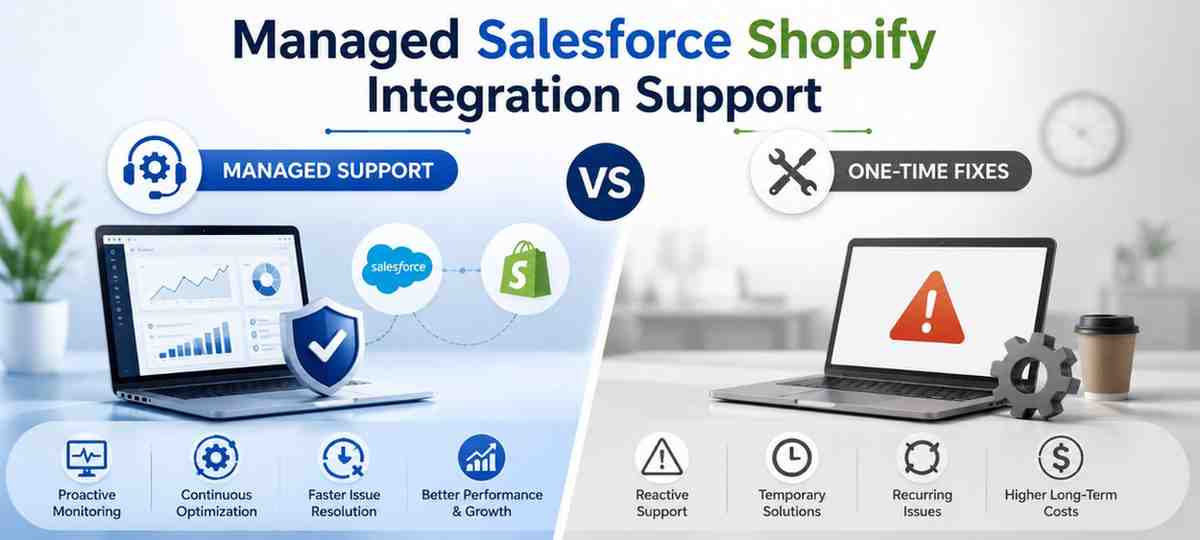
Managed Salesforce Shopify Integration Support is designed for businesses that want ongoing monitoring, proactive maintenance, performance optimization and expert guidance as their operations evolve. It’s best suited for organizations where Salesforce plays a critical role in daily sales, customer service or ecommerce operations.
One-Time Fixes, on the other hand, are ideal for businesses that experience occasional issues and only need help resolving a specific problem, such as a synchronization error, workflow update or API-related issue.
Choosing between the two isn’t simply about cost. It’s about understanding how your business operates, how often your integration changes and whether preventing future issues is more valuable than fixing them after they occur.
Why Integration Projects Don’t End at Go-Live
Many businesses think of Salesforce Shopify Integration as a one-time project.
The integration is implemented, tested and deployed. Customer and order data start syncing correctly, dashboards begin displaying meaningful insights and teams finally have a connected view of business operations.
At this stage, it may feel like the project is complete.
In reality, it’s just the beginning.
A Salesforce Shopify integration supports a living business, not a static system. As your business evolves, your CRM and ecommerce platform need to evolve with it.
Think about the changes that can happen over the course of a year:
- You launch new products or product categories.
- Your sales process changes.
- Marketing introduces new customer journeys and automations.
- Shopify apps are added or replaced.
- Salesforce receives seasonal platform updates.
- New departments begin using CRM data.
- Business reports require additional metrics and dashboards.
Each of these changes can affect how your integration performs.
Sometimes the impact is small, such as updating a field mapping or adjusting a workflow. In other cases, changes may require new automation, modifications to existing integrations or additional validation to ensure data continues flowing accurately between systems.
This is why successful businesses don’t view Salesforce Shopify Integration as a project that ends at launch. Instead, they treat it as an evolving business capability that should continue supporting new goals, processes and customer expectations.
Why Businesses Request Support After Implementation
Even when an integration has been implemented correctly, ongoing support requests are common. These requests usually arise because the business has changed, not because the original integration failed.
Some of the most common situations include:
- New products or services requiring additional workflows.
- Changes to Shopify or Salesforce affecting existing processes.
- Expanding into new regions or sales channels.
- Connecting additional business systems such as ERP or accounting software.
- Improving reports and dashboards for better decision-making.
- Optimizing automation to reduce manual work.
- Resolving occasional synchronization or data validation issues.
These are natural milestones in a growing business.
Addressing them proactively helps ensure your Salesforce environment continues supporting your operations instead of slowing them down.
Consultant’s Perspective
One trend we’ve consistently observed is that businesses rarely need support because Salesforce or Shopify “stopped working.”
More often, support is needed because the business itself has evolved.
New workflows, changing customer expectations, operational improvements and business expansion all place new demands on the integration. Without periodic reviews and updates, even a well-designed implementation can gradually become less aligned with how the business operates.
That’s why many organizations move beyond reactive fixes and adopt a more strategic approach to managing their Salesforce ecosystem over time.
What Is Managed Salesforce Shopify Integration Support?
Managed Salesforce Shopify Integration Support is an ongoing partnership designed to keep your integration running efficiently as your business grows and changes.
Rather than waiting for an issue to occur, managed support focuses on monitoring, maintaining and continuously improving your Salesforce and Shopify environment. The objective isn’t simply to fix problems, it’s to help your integration continue supporting your business goals over time.
Think of it as having an experienced Salesforce team available whenever your business needs guidance, optimization or technical assistance.
What Does Managed Support Typically Include?
While the exact scope varies between businesses, managed support often includes a combination of technical maintenance, performance optimization and strategic improvements.
For example, a support team may help with:
- Monitoring integration performance and identifying potential issues before they affect business operations.
- Updating workflows as your sales, marketing or customer service processes evolve.
- Reviewing data synchronization to ensure customer and order information remains accurate across systems.
- Adapting the integration when Shopify, Salesforce or connected applications introduce platform updates.
- Improving automation to reduce repetitive manual tasks and increase operational efficiency.
- Assisting users with questions, configuration changes or minor enhancements as business requirements change.
The focus isn’t on making large-scale changes every month. Instead, it’s about ensuring your integration continues delivering value as your business evolves.
Managed Support Is About Prevention – Not Just Problem Solving
Many businesses contact an integration expert only after something stops working.
By that stage, teams may already be experiencing delays, inaccurate reports, manual workarounds or disruptions to customer-facing processes.
Managed support takes a different approach.
Instead of reacting to issues after they impact the business, regular reviews help identify opportunities for improvement before they become operational challenges.
For example, a routine review might reveal that:
- A recently added Shopify app requires additional data mapping.
- New sales workflows would benefit from automation.
- Customer records need validation after introducing a new sales channel.
- Existing reports no longer reflect current business objectives.
- A Salesforce release requires minor configuration updates to maintain compatibility.
Addressing these changes early helps maintain system performance and reduces the likelihood of larger issues later.
Beyond Technical Support
One of the biggest misconceptions is that managed support exists only to resolve technical issues.
In practice, experienced Salesforce partners also help businesses answer strategic questions, such as:
- Can this manual process be automated?
- Are we using Salesforce efficiently?
- Is our reporting aligned with current business goals?
- Can we improve how customer data moves between systems?
- How should the integration adapt as we expand into new markets or launch additional products?
These conversations often create more business value than fixing isolated technical problems.
What Is a One-Time Salesforce Shopify Integration Fix?
Not every business needs ongoing Salesforce support.
For some organizations, the integration is relatively straightforward, changes are infrequent and an internal team manages day-to-day Salesforce operations successfully. In these situations, requesting assistance only when a specific issue arises can be a practical and cost-effective approach.
This is commonly referred to as a One-Time Fix.
Instead of subscribing to continuous support, businesses engage a Salesforce expert to resolve a particular problem, implement a small enhancement or make a targeted configuration change.
Once the work is completed, the engagement ends until further assistance is required.
When Does a One-Time Fix Make Sense?
A one-time engagement is often suitable when the issue has a clearly defined scope and doesn’t require ongoing monitoring or long-term optimization.
Examples include:
- Resolving a customer or order synchronization issue.
- Updating field mappings after adding new Shopify attributes.
- Fixing workflow or automation errors.
- Troubleshooting API connection problems.
- Correcting duplicate or missing customer records.
- Adjusting reports or dashboards to meet new reporting requirements.
- Making small configuration changes following a business process update.
These tasks are generally focused, measurable and can often be completed without establishing a long-term support agreement.
The Benefits of a One-Time Fix
For businesses with stable operations and limited integration changes, a one-time support model offers several advantages.
- Pay only when assistance is needed.
- Ideal for isolated technical issues or minor enhancements.
- No ongoing monthly commitment.
- Suitable for businesses with experienced internal Salesforce administrators.
- Flexible for organizations that require occasional expert guidance.
For many small and mid-sized businesses, this approach provides exactly the level of support they need.
Understanding the Limitations
While one-time fixes work well for isolated issues, they are reactive by nature.
Support begins only after a problem has already affected the business.
For example, an order synchronization issue may not be noticed until customer service receives complaints. A reporting error might only become visible during a management review. Workflow inconsistencies may continue for days before someone realizes they require attention.
In these situations, the issue is resolved but the business has already experienced disruption.
That’s why organizations with rapidly changing operations, multiple integrations or business-critical Salesforce processes often find that relying solely on one-time fixes becomes less efficient over time.
Managed Support vs One-Time Fixes: Which Approach Is Right for Your Business?
By now, it’s clear that both support models have their place.
The real question isn’t which option is better, it’s which one aligns with the way your business operates today and where you expect it to be in the future.
If your Salesforce Shopify integration rarely changes and your internal team can manage day-to-day administration, a one-time support model may be sufficient.
However, if your business is growing, introducing new workflows, expanding into additional sales channels or relying heavily on Salesforce for sales and customer operations, ongoing managed support often provides greater long-term value.
The comparison below highlights the key differences.
| Business Consideration | Managed Salesforce Shopify Integration Support | One-Time Fixes |
| Support Approach | Proactive monitoring and continuous improvement | Reactive support when a specific issue occurs |
| Best For | Growing businesses with evolving processes | Businesses with stable operations and occasional support needs |
| Issue Resolution | Potential issues are often identified before they affect operations | Problems are addressed after they are reported |
| Business Process Improvements | Regular reviews help optimize workflows and automation | Focuses only on the requested task or issue |
| Platform Updates | Ongoing assistance to adapt to Salesforce or Shopify changes | Updates handled only when requested |
| Scalability | Supports future growth, additional workflows and new integrations | Suitable for businesses with minimal operational changes |
| Strategic Guidance | Includes recommendations for long-term optimization | Limited to resolving the immediate requirement |
| Cost Structure | Predictable ongoing investment | Pay only when support is required |
How to Decide Which Model Fits Your Business
There’s no universal answer because every organization has different operational needs.
A One-Time Fix may be the right choice if:
- Your Salesforce Shopify integration is relatively simple.
- Business processes rarely change.
- You have an experienced internal Salesforce administrator.
- Support is only needed occasionally.
- You’re looking to resolve a specific issue without ongoing engagement.
On the other hand, Managed Support is often a better fit if:
- Your business is growing rapidly.
- Salesforce is central to your sales or customer service operations.
- New automation or workflows are introduced regularly.
- Multiple systems are connected to Salesforce.
- Downtime or data inconsistencies could affect revenue or customer experience.
- You prefer preventing issues rather than reacting to them.
Think Beyond Today’s Requirements
One of the biggest mistakes businesses make is choosing a support model based only on their current situation.
Instead, consider where your business is likely to be 12 or 24 months from now.
Will you:
- Launch additional Shopify stores?
- Expand into new markets?
- Introduce new sales processes?
- Integrate ERP, accounting or marketing platforms?
- Grow your customer base significantly?
If the answer to several of these questions is yes, your support requirements will likely evolve as well.
Planning for future growth today can reduce disruption, simplify future enhancements and help your Salesforce environment scale alongside your business.
Consultant’s Perspective
We’ve worked with businesses that started with a one-time support request and later transitioned to managed support as their operations became more complex.
We’ve also seen organizations remain on a one-time support model for years because their processes were stable and their internal teams handled most day-to-day changes.
Neither approach is inherently better.
The right decision depends on how frequently your business evolves and how critical Salesforce is to your operational success.
Choosing a support model that matches your business maturity—not simply your current budget—usually leads to better long-term outcomes.
The Hidden Cost of Reactive Salesforce Shopify Integration Support
When businesses compare managed support with one-time fixes, the conversation often focuses on monthly costs.
However, one important factor is frequently overlooked:
What does it cost when an issue isn’t identified until it has already affected your business?
The financial impact of an integration problem isn’t always the consulting fee required to fix it. In many cases, the larger cost comes from lost productivity, delayed operations and poor customer experiences while the issue remains unresolved.
For example, imagine an order synchronization problem goes unnoticed for several days.
During that time:
- Customer service teams may struggle to access accurate order information.
- Sales representatives could be working with outdated customer records.
- Finance teams may spend additional time reconciling transactions.
- Management reports may no longer reflect current business performance.
The technical issue itself might only take a few hours to resolve, but the operational disruption can affect multiple departments.
Small Issues Can Create Bigger Business Problems
Many integration issues don’t begin as critical failures.
Instead, they often start as small operational changes that gradually become larger challenges.
For example:
- A new Shopify app introduces fields that aren’t mapped correctly in Salesforce.
- A workflow update causes customer information to sync differently than expected.
- New business processes require additional automation that wasn’t part of the original implementation.
- Teams begin using manual workarounds because existing workflows no longer support daily operations.
None of these situations necessarily indicate that the integration has failed.
They simply reflect the reality that businesses evolve and the technology supporting them must evolve as well.
The Difference Between Reactive and Proactive Support
A reactive support model solves problems after they occur.
A proactive support model focuses on reducing the likelihood of those problems affecting the business in the first place.
This doesn’t mean every organization requires ongoing managed support. Rather, it highlights the importance of choosing a support approach that matches the pace of your business.
If your Salesforce environment changes only occasionally, reactive support may be perfectly suitable.
However, businesses introducing new products, expanding operations or continuously refining their customer experience often benefit from regular reviews that identify opportunities for improvement before they become operational issues.
Consultant’s Perspective
One lesson we’ve learned from Salesforce integration projects is that businesses rarely contact a consultant because a single technical issue exists.
More often, they reach out after a series of small changes have gradually reduced the efficiency of their processes.
By the time support is requested, teams may already be relying on manual workarounds, reports may require additional validation and valuable time has been spent investigating issues that could have been identified much earlier.
Regular reviews don’t eliminate every problem, but they can significantly reduce the operational impact of issues before they begin affecting day-to-day business activities.
Key Takeaway
The decision between managed support and one-time fixes shouldn’t be based solely on the monthly cost of a support agreement.
Instead, consider the broader business impact.
Ask yourself:
- How much would an integration issue affect our daily operations?
- How quickly do our business processes change?
- Can our internal team confidently maintain the integration as our business grows?
- Would preventing issues create more value than resolving them after they occur?
Answering these questions will help you choose a support model based on business priorities rather than short-term costs.
Questions to Ask Before Choosing a Salesforce Shopify Integration Support Model
By now, you should have a clear understanding of how Managed Salesforce Shopify Integration Support differs from One-Time Fixes.
The next step is deciding which approach best aligns with your business.
Rather than focusing only on cost, take a few minutes to evaluate how your business operates today and where it’s heading over the next few years.
The following questions can help you make a more informed decision.
Q. How Often Do Our Business Processes Change?
Some businesses operate with the same workflows for years, while others continuously introduce new products, sales processes, marketing campaigns and customer service improvements.
If your business changes frequently, your Salesforce Shopify integration will likely require regular updates to keep pace.
Q. How Critical Is Salesforce to Our Daily Operations?
Consider how many teams rely on Salesforce every day.
For example:
- Sales
- Marketing
- Customer Service
- Operations
- Management Reporting
If Salesforce supports multiple business functions, even a small integration issue can impact productivity across departments.
Q. Do We Have Internal Salesforce Expertise?
Some organizations have experienced Salesforce administrators who can manage routine configuration changes and troubleshoot basic issues.
Others rely on external specialists whenever updates or enhancements are required.
Understanding your internal capabilities can help determine whether occasional support is enough or if ongoing expertise would provide greater value.
Q. How Much Downtime Can Our Business Tolerate?
Not every issue is business-critical.
However, if delayed order synchronization, inaccurate customer data or workflow failures could affect revenue, customer experience or operational efficiency, proactive support may be worth considering.
Businesses where Salesforce plays a mission-critical role often prioritize prevention over emergency troubleshooting.
Q. Are We Planning Additional Integrations?
Today’s Salesforce Shopify integration may only be the beginning.
Many growing businesses later connect Salesforce with:
- ERP platforms
- Accounting software
- Marketing automation tools
- Customer support systems
- Business intelligence platforms
Planning for future integrations can influence the type of support your business requires.
Q. Are We Looking for Technical Support or Strategic Guidance?
There’s an important difference between fixing an issue and continuously improving your Salesforce environment.
If your goal is simply to resolve occasional technical problems, a one-time support model may be sufficient.
However, if you’re looking for advice on automation, workflow optimization, reporting improvements or scaling Salesforce alongside your business, ongoing managed support often provides additional value.
A Simple Decision Framework
The table below provides a quick way to evaluate which support model may better fit your business.
| If your business… | Consider… |
| Rarely changes business processes | One-Time Fixes |
| Has an experienced internal Salesforce team | One-Time Fixes |
| Needs occasional troubleshooting | One-Time Fixes |
| Frequently updates workflows and automation | Managed Support |
| Relies heavily on Salesforce across multiple departments | Managed Support |
| Expects continued business growth and new integrations | Managed Support |
This isn’t a strict rulebook.
Many businesses begin with one-time support and transition to managed support as their operations become more complex. Others continue using one-time assistance because their systems remain stable and well-managed internally.
The right choice depends on your business, not on following a single approach.
Consultant’s Perspective
One of the best indicators of future support requirements isn’t company size, it’s the pace of business change.
Organizations that regularly introduce new products, expand into new markets, refine customer experiences or improve internal processes naturally place new demands on their Salesforce environment.
In those situations, ongoing support becomes less about fixing technical issues and more about ensuring Salesforce continues supporting business growth without creating operational bottlenecks.
Final Thoughts
Launching a Salesforce Shopify integration is an important milestone, but it’s not the final step.
As your business grows, customer expectations change, new workflows are introduced and additional systems become part of your technology ecosystem. Your integration should evolve alongside those changes to continue supporting your business effectively.
For some organizations, occasional one-time fixes are all that’s required. For others, ongoing managed support provides the confidence that their Salesforce environment will remain reliable, scalable and aligned with future business goals.
The right choice isn’t about selecting the most comprehensive support plan, it’s about choosing the approach that best matches your operational needs, internal capabilities and long-term growth strategy.
By evaluating your business requirements rather than focusing solely on short-term costs, you’ll be better positioned to make a decision that delivers lasting value.
Need Help Deciding Which Support Model Fits Your Business?
Every Salesforce environment is different.
Some businesses only need expert assistance when a specific issue arises, while others benefit from continuous optimization and strategic guidance as their operations grow.
At Beta Soft Technology, we work with businesses to understand how they use Salesforce, identify opportunities for improvement and recommend a support approach that aligns with their operational goals, not a one-size-fits-all solution.
Whether you’re planning a new integration or looking to improve an existing one, taking a strategic approach today can help your Salesforce environment continue supporting your business for years to come.
Frequently Asked Questions About Salesforce Shopify Integration Support
Q 1. What is Managed Salesforce Shopify Integration Support?
Managed support is an ongoing service that helps monitor, maintain, optimize and improve your Salesforce Shopify integration as your business evolves. It focuses on preventing issues and keeping your integration aligned with changing business requirements.
Q 2. What is a One-Time Salesforce Shopify Integration Fix?
A one-time fix is a targeted service that resolves a specific issue, such as data synchronization problems, workflow updates, API errors or minor configuration changes, without an ongoing support agreement.
Q 3. Which businesses benefit most from managed integration support?
Businesses that frequently update workflows, introduce new products, rely heavily on Salesforce or operate multiple integrated systems often benefit from managed support because it provides continuous optimization and proactive maintenance.
Q 4. Can I switch from one-time support to managed support later?
Yes. Many businesses initially choose one-time support and later move to a managed support model as their Salesforce environment becomes more complex or their operational requirements grow.
Q 5. Does managed support include new feature development?
It depends on the scope of your support agreement. Most managed support plans cover routine enhancements, workflow improvements and minor optimizations, while larger development projects are typically handled separately.
Q 6. How often should a Salesforce Shopify integration be reviewed?
For growing businesses, reviewing the integration every few months—or whenever significant operational changes occur—is generally a good practice. Regular reviews help ensure data accuracy, workflow efficiency and platform compatibility.
Q 7. Is managed support only for large enterprises?
No. Businesses of all sizes can benefit from managed support if Salesforce plays an important role in their daily operations or if their business processes change frequently.
Q 8. How do I know which support model is right for my business?
Consider how often your business changes, how critical Salesforce is to your operations, whether you have in-house Salesforce expertise and how much downtime your business can tolerate. These factors usually indicate whether one-time support or ongoing managed support is the better fit.