


Every business wants more sales, but not every business has a proper system to manage sales.
Many companies invest in marketing, generate leads from ads, websites, referrals, WhatsApp, emails and calls, but still lose potential customers because the sales process is not organized. Leads get missed. Follow-ups are delayed. Customer data stays scattered across spreadsheets, phone contacts, email inboxes and chat conversations. Sales teams spend too much time updating records instead of speaking to customers.
This is where CRM automation becomes important.
A CRM, or Customer Relationship Management system, helps businesses manage leads, customers, sales activities, communication, and reports in one place. When automation is added to the CRM, routine sales tasks start happening automatically. This makes the sales process faster, cleaner, and more accountable.
For business owners, CRM automation is not just a software upgrade. It is a way to build a more reliable sales system.
What Is CRM Automation?
CRM automation is the process of using a CRM system to automate repetitive sales, marketing, and customer management tasks.
Instead of manually entering every lead, assigning tasks, sending reminders, updating deal stages, or preparing reports, the CRM does these activities through predefined workflows.
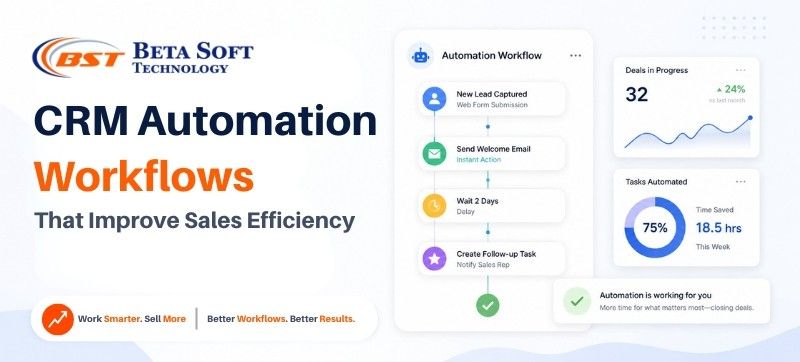
For example, when a new lead fills out a website form, the CRM can automatically save the lead details, assign the lead to a sales executive, send a welcome email, create a follow-up task and notify the manager if the lead is not contacted on time.
This helps businesses reduce manual work and improve the speed of sales execution.
CRM automation can be used for:
- Lead capture
- Lead assignment
- Follow-up reminders
- Sales pipeline tracking
- Email and WhatsApp nurturing
- Quotation follow-ups
- Customer onboarding
- Repeat purchase reminders
- Sales reporting
- Team performance tracking
The main goal is simple: help the sales team spend less time on manual work and more time on meaningful customer conversations.
Why CRM Automation Matters for Business Owners
For a business owner, sales visibility is extremely important. You need to know how many leads are coming in, where they are coming from, who is handling them, how many are converting, and where deals are getting stuck.
Without a CRM automation system, this information is often unclear.
Sales teams may use spreadsheets, phone notes, WhatsApp chats or manual reminders. This can work for a small number of leads, but as the business grows, the process becomes difficult to manage. One missed follow-up can mean one lost customer. One untracked quotation can mean one lost deal. One delayed response can send the lead to a competitor.
CRM automation gives business owners a structured way to control the sales process.
It helps answer important questions such as:
- How many leads did we receive this month?
- Which marketing channel is bringing quality leads?
- Which sales executive is handling which lead?
- How many deals are in the quotation stage?
- Which leads need urgent follow-up?
- Why are deals being lost?
- What revenue can we expect from the current pipeline?
When this data is available in one place, business decisions become faster and more accurate.
How CRM Automation Improves Sales Efficiency
Sales efficiency means getting better sales results with less wasted time and effort. CRM automation improves efficiency by removing unnecessary manual tasks from the sales process.
A sales team should ideally focus on understanding customer needs, giving the right solution, building trust, and closing deals. But in many businesses, the team spends a large part of the day updating sheets, searching for customer details, remembering follow-ups, or preparing manual reports.
CRM automation reduces this burden.
It helps businesses:
- Respond to leads faster
- Prioritize high-intent prospects
- Reduce missed follow-ups
- Track every deal clearly
- Improve team accountability
- Shorten the sales cycle
- Improve customer experience
- Build better reporting and forecasting
When the sales process becomes more organized, the team can work with more confidence and consistency.
1. Lead Capture Automation
Lead capture is the first and one of the most important CRM automation workflows.
Businesses receive leads from different channels such as website forms, landing pages, Google Ads, Meta Ads, WhatsApp, email, calls, chatbots, social media, and referral campaigns. If these leads are manually collected, there is always a chance of delay or error.
With lead capture automation, every lead enters the CRM automatically.
The CRM stores key information such as name, phone number, email address, lead source, product or service interest, message, location, and inquiry date. This gives the sales team a complete view of the lead from the beginning.
For business owners, this is useful because they can track which channels are actually generating inquiries. It also helps the marketing team understand which campaigns are bringing better-quality leads.
A good lead capture workflow reduces lead leakage and ensures every inquiry is recorded.
2. Lead Assignment Workflow
Once a lead enters the CRM, it should reach the right person quickly. This is where lead assignment automation helps.
Instead of a manager manually distributing leads, the CRM can assign them based on predefined rules.
Lead assignment can be based on:
- Sales executive availability
- Customer location
- Product or service category
- Lead source
- Deal value
- Existing customer relationship
- Round-robin distribution
For example, if a lead comes from Delhi, it can be assigned to the Delhi sales executive. If the lead is related to a specific service, it can go to the team member who handles that service. If the business wants equal distribution, the CRM can assign leads in rotation.
This removes confusion and helps the team respond faster.
Fast lead assignment is especially important for businesses where customers compare multiple vendors before making a decision. The faster your team responds, the better your chance of starting a meaningful conversation.
3. Instant Response Workflow
Customers expect quick responses. If someone fills out a form or sends an inquiry, they want confirmation that the business has received it.
CRM automation can send an instant response as soon as a lead is created.
This response can be an email, SMS, WhatsApp message, or internal notification. It can thank the customer for the inquiry, share basic information, and let them know that the team will connect shortly.
A simple automated message can make the business look more professional.
For example:
“Thank you for contacting us. Our team has received your inquiry and will connect with you shortly. Meanwhile, you can explore our services or reply to this message for urgent assistance.”
This small workflow improves the first impression and reassures the customer that their inquiry has not been ignored.
4. Follow-Up Reminder Workflow
Follow-up is where many sales opportunities are either won or lost.
A customer may not be ready to buy immediately. They may need more details, pricing, comparison, internal approval, or time to make a decision. If the sales team does not follow up at the right time, the lead can go cold.
CRM automation helps by creating follow-up reminders automatically.
For example:
- Follow up 24 hours after the first call
- Follow up 2 days after sending a quotation
- Call again if the customer has not replied
- Alert the manager if the lead is inactive for 7 days
- Create a reminder before a scheduled meeting
This keeps the sales process active.
Instead of depending only on memory or manual notes, the sales team gets a clear list of follow-up tasks. Managers can also see whether follow-ups are being completed on time.
A disciplined follow-up workflow can directly improve conversion rates.
5. Lead Scoring Workflow
Not every lead has the same level of interest.
Some leads are just exploring. Some are comparing prices. Some are ready to buy. Some may already know your brand and only need a final push.
Lead scoring automation helps the sales team identify which leads should be handled first.
The CRM can assign scores based on customer behavior and engagement. For example, a lead may get a higher score if they visit the pricing page, open an email, request a demo, ask for a quotation, or engage multiple times with your business.
Lead scoring can be based on:
- Website activity
- Email engagement
- Form submissions
- Budget indication
- Product or service interest
- Source of lead
- Previous purchase history
- Urgency of requirement
This helps sales teams focus on high-intent leads instead of treating every inquiry the same.
For business owners, lead scoring improves team productivity because the best opportunities receive attention first.
6. Sales Pipeline Automation
A sales pipeline shows where every lead or deal stands in the buying journey.
A basic sales pipeline may include stages such as:
- New Lead
- Contacted
- Qualified
- Requirement Discussed
- Quotation Sent
- Negotiation
- Won
- Lost
CRM automation can move leads between these stages based on actions taken by the sales team or the customer.
For example, when a quotation is sent, the deal can automatically move to the “Quotation Sent” stage. When a customer approves the proposal, it can move to “Won.” If there is no response for a long period, it can move to “Cold” or trigger a reactivation workflow.
This gives business owners a clear view of the sales funnel.
They can see how many deals are open, how much revenue is in the pipeline, which stage has the most delays, and which team members are handling the highest-value opportunities.
Sales pipeline automation brings structure to the sales process.
7. Quotation and Proposal Follow-Up Workflow
Many businesses lose revenue after sending quotations.
The sales team sends a proposal, but then the follow-up becomes weak. The customer does not reply, the executive forgets to call, or the deal stays pending without proper tracking.
A CRM can automate this process.
After a quotation is sent, the system can:
- Update the deal stage
- Send a confirmation email
- Create a follow-up task
- Remind the executive after 2 days
- Alert the manager if there is no update
- Track whether the customer has opened the email
- Move the deal to negotiation or closure stage
This is especially useful for B2B businesses, service companies, agencies, manufacturers, distributors, and any business where quotations are part of the sales process.
A strong quotation follow-up workflow helps reduce deal drop-offs.
8. Email and WhatsApp Lead Nurturing Workflow
Some customers do not convert immediately. They need more information before making a decision.
Lead nurturing helps businesses stay connected with such prospects through useful and timely communication.
CRM automation can send a sequence of emails or WhatsApp messages over a period of time. These messages can educate the customer, explain benefits, share testimonials, answer common questions, and remind them to take action.
A simple nurturing sequence may look like this:
- Day 1: Welcome message
- Day 2: Service or product benefits
- Day 4: Case study or customer success story
- Day 6: Frequently asked questions
- Day 8: Offer or consultation reminder
- Day 12: Final follow-up message
The purpose is not to spam the customer. The purpose is to guide them with relevant information.
Good nurturing builds trust and keeps your business in the customer’s mind.
9. Lost Lead Reactivation Workflow
A lost lead is not always a dead lead.
Sometimes customers do not buy because of timing, budget, approval delays, or lack of urgency. After a few weeks or months, the same customer may be ready to take action.
CRM automation can help reactivate old leads.
For example, the system can send a message after 30, 60, or 90 days. The message can include a new offer, updated service information, a product launch, a consultation invite, or a simple check-in.
Lost lead reactivation is valuable because the business has already paid to generate those leads. Re-engaging them can produce sales without spending heavily on new lead generation.
This workflow is especially useful for businesses with long buying cycles.
10. Customer Onboarding Workflow
CRM automation should not stop after the sale is closed.
Once a customer says yes, the next experience matters. A poor onboarding experience can create confusion, support issues, and dissatisfaction.
Customer onboarding automation helps the business deliver a smooth post-sale experience.
It can include:
- Welcome email
- Payment confirmation
- Order or project confirmation
- Timeline details
- Support contact information
- Product usage guide
- Service process explanation
- Feedback request
This makes the customer feel informed and supported.
For service businesses, onboarding improves trust. For product businesses, it reduces confusion. For B2B companies, it creates a professional experience from the beginning.
11. Repeat Purchase and Upsell Workflow
Existing customers are often easier to sell to than new customers.
CRM automation helps businesses create repeat purchase, upsell, and cross-sell opportunities.
For example, if a customer buys a product that needs regular replacement, the CRM can send a reminder at the right time. If a customer buys a basic service plan, the system can later suggest an upgrade. If a customer purchases one product category, the CRM can recommend a related product.
Repeat purchase workflows can include:
- Refill reminders
- Renewal reminders
- Upgrade offers
- Related product suggestions
- Service reminders
- Loyalty offers
- Feedback-based recommendations
This helps improve customer lifetime value and creates a more consistent revenue stream.
12. Sales Reporting and Dashboard Automation
Business owners cannot improve what they cannot measure.
CRM reporting automation gives a clear view of sales performance without manually preparing spreadsheets every week.
CRM dashboard can show:
- Total leads received
- Lead source performance
- Conversion rate
- Sales executive performance
- Follow-up status
- Pending deals
- Lost deal reasons
- Revenue generated
- Monthly sales forecast
- Average deal closing time
This helps business owners make better decisions.
For example, if one marketing source is generating many leads but low conversions, the campaign may need improvement. If one sales executive has many pending follow-ups, the manager can take action. If too many deals are stuck at the quotation stage, the pricing or proposal process may need attention.
Sales reporting turns raw data into business insight.
Popular CRM Platforms Businesses Can Use
There are many CRM platforms available today. The right choice depends on business size, sales process, team structure, budget, customization needs, and reporting requirements.
Popular CRM solutions include:
- Salesforce CRM
- HubSpot CRM
- Zoho CRM
- Microsoft Dynamics 365 Sales
- Freshsales CRM
- Pipedrive CRM
- Monday CRM
- LeadSquared CRM
- Odoo CRM
- Bitrix24 CRM
Salesforce is often preferred by businesses that need deep customization and scalable CRM architecture. HubSpot is popular for marketing and sales alignment. Zoho CRM is widely used by small and mid-sized businesses. Microsoft Dynamics 365 works well for companies already using Microsoft’s business ecosystem. Pipedrive and Freshsales are often useful for sales-focused teams that want simpler pipeline management.
A CRM should not be selected only because it is popular. It should match the business process.
That is why CRM consultation, data planning, workflow mapping, and implementation support are important before choosing or customizing a platform.
Case Study: Moving Raw Sales Data into Salesforce CRM
One of the businesses we worked with had its sales data stored in a raw and unstructured format. The information was spread across spreadsheets, manual records and different communication channels. The sales team had customer details, lead history, follow-up notes and deal information, but there was no proper CRM structure.
This created several challenges.
The team could not easily track which leads were active, which customers needed follow-up, which deals were pending, and which opportunities had been lost. Managers had limited visibility into the sales pipeline. Reporting was manual, and important sales information was not always updated on time.
Beta Soft Technology helped the business organize and migrate its raw data into Salesforce CRM.
The project included data cleaning, field mapping, CRM structure planning, lead and customer migration, custom pipeline setup, workflow automation, follow-up reminders, sales stage tracking, and reporting dashboards. The automation was created based on the client’s actual business requirement, not a generic template.
After the Salesforce CRM setup, the business was able to manage leads in a more structured way. The sales team could track follow-ups better, managers had improved visibility and the overall sales process became more organized. This helped the team work more efficiently and supported improvement in sales performance.
Due to company policy and client confidentiality, we do not disclose the business name, internal sales data, revenue numbers, or sensitive workflow details.
However, this case shows how CRM automation can turn scattered raw data into a structured sales system.
Why Experience Matters in CRM Automation
CRM automation is not only about installing software.
A successful CRM system needs proper planning. The business process must be understood first. The sales journey should be mapped clearly. Data should be cleaned before migration. The right fields, stages, workflows, reminders and reports should be created. The sales team should also be trained to use the CRM properly.
If CRM automation is planned poorly, it can create confusion instead of efficiency.
A good CRM solution partner understands both technology and business operations. They know that every business has a different sales process. A real estate business, digital agency, healthcare company, B2B distributor, product brand and service provider will not use CRM in the same way.
That is why custom CRM workflows are more effective than one-size-fits-all setups.
Beta Soft Technology as Your CRM Partner
If your business is struggling with scattered customer data, missed follow-ups, manual sales tracking or poor pipeline visibility, Beta Soft Technology can help you build a customized CRM automation system. Your Trusted CRM partner, we help businesses with CRM consultation, Salesforce CRM implementation, raw data migration, workflow automation, lead management, sales pipeline setup, reporting dashboards and CRM customization based on actual business requirements.
Whether you are using Salesforce, HubSpot, Zoho, Microsoft Dynamics 365 or another CRM platform, our team can help you create a smarter sales system that improves efficiency, accountability, and revenue growth.
How Does CRM Automation Increase Revenue?
CRM automation increases revenue by helping businesses respond faster to leads, reduce missed follow-ups, prioritize high-quality prospects, track every sales opportunity, improve customer communication, and generate repeat sales from existing customers. It gives sales teams a structured process and gives business owners better visibility into performance, which leads to smarter decisions and stronger sales outcomes.
Common Mistakes Businesses Should Avoid
CRM automation works best when it is planned properly. Many businesses make the mistake of buying a CRM without first understanding their sales process.
Some common mistakes include:
- Automating without a clear sales workflow
- Migrating messy or duplicate data
- Creating too many unnecessary fields
- Not training the sales team
- Sending too many automated messages
- Not reviewing reports regularly
- Choosing a CRM without checking business requirements
The CRM should support the team, not make their work more complicated.
Best Practices for CRM Automation
To get better results from CRM automation, businesses should start with a clear plan.
First, define the sales process. Then identify repetitive tasks that can be automated. Clean the existing data before migration. Keep workflows simple in the beginning. Train the sales team properly. Review reports regularly and improve workflows as the business grows.
A CRM should evolve with the business.
The best CRM automation systems are practical, easy to use, and aligned with real sales activities.
Conclusion
CRM automation is one of the most effective ways to improve sales efficiency.
It helps businesses capture leads, assign them properly, follow up on time, track every deal, nurture prospects, onboard customers, generate repeat sales and measure performance clearly.
- For business owners, it creates control and visibility.
- For sales teams, it reduces manual work and improves focus.
- For customers, it creates a faster and more professional experience.
As businesses grow, manual sales tracking becomes difficult to manage. CRM automation gives the sales process the structure it needs to scale.
With the right CRM platform and the right implementation partner, your business can move from scattered data and missed follow-ups to a smarter, more organized, and revenue-focused sales system.
CRM automation is not just about managing customers. It is about building a better way to sell.
FAQs About CRM Automation Workflows
What is a CRM automation workflow?
A CRM automation workflow is a predefined process that automatically completes sales or customer management tasks inside a CRM system. It can automate lead capture, lead assignment, follow-up reminders, pipeline updates, customer emails, and reporting.
How does CRM automation improve sales efficiency?
CRM automation improves sales efficiency by reducing manual work, organizing leads, reminding teams about follow-ups, prioritizing high-quality leads, and giving managers real-time visibility into sales performance.
Which CRM is best for sales automation?
The best CRM depends on the business requirement. Salesforce, HubSpot, Zoho CRM, Microsoft Dynamics 365, Freshsales, Pipedrive, Monday CRM, LeadSquared, Odoo, and Bitrix24 are popular options. The right CRM should match your sales process, team size, budget, and automation needs.
Can CRM automation help small businesses?
Yes, CRM automation can help small businesses manage leads, improve follow-ups, track customers, and create a more professional sales process. Even simple workflows can make a big difference when the team is small.
Is Salesforce good for CRM automation?
Yes, Salesforce is a powerful CRM platform for businesses that need customization, automation, reporting, and scalable sales workflows. It is especially useful when businesses need a structured CRM system based on specific sales processes.
Can raw business data be moved into a CRM?
Yes, raw business data can be cleaned, structured, mapped, and migrated into a CRM like Salesforce, HubSpot, Zoho, or Microsoft Dynamics 365. Proper data migration helps businesses turn scattered records into a usable sales and customer management system.